

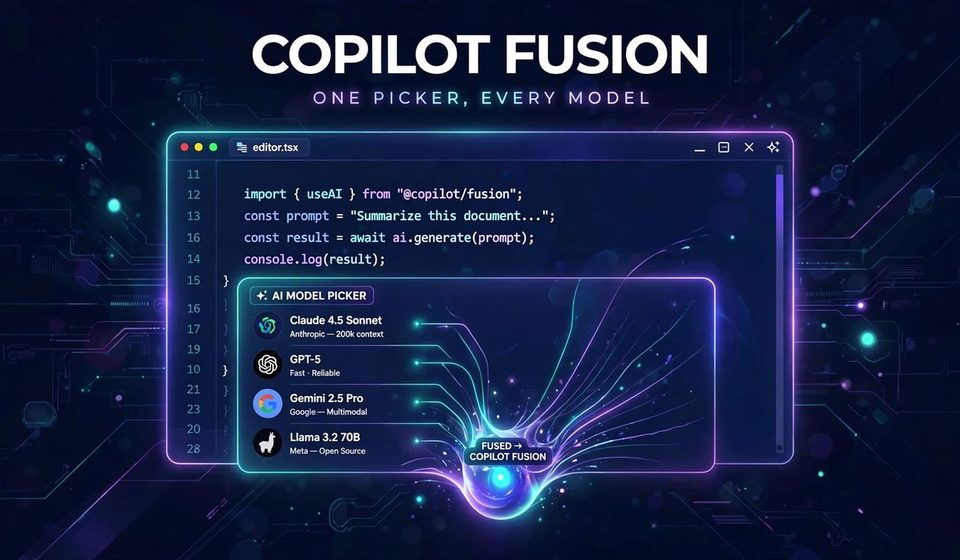

GitHub Copilot Fusion ends the model-picker guessing game for developers. Instead of choosing a model for each task, you choose an effort level, and Copilot routes the work. In short, GitHub now decides which models handle your prompt, and bills each one it uses. Finally, this blog explains what Fusion is, what it costs, and where its biggest claim needs checking.
By the end, you will know which plan unlocks each effort level, how Copilot AI credits work, and when Max is worth it. If you follow the best AI tools in 2026, GitHub Copilot Fusion is the most practical launch of the season.
What GitHub Copilot Actually Is?
One Picker Instead of Many Models
GitHub Copilot Fusion became generally available on 28 October 2026. First, you pick Fusion in the model picker, then set an effort level. Copilot then decides which models run your task and how they work together. As a result, you stop switching models mid-task when a job gets harder. In addition, the feature runs in VS Code, the Copilot app, Copilot CLI, and JetBrains IDEs.
Under the hood, GitHub Copilot is an orchestration layer, not another model. Moreover, it plans the task, picks models, and combines their work into one result. That matches how AI agents explained in our guides split work into steps. For example, a simple fix may need one model, while a refactor may need several. Therefore, the skill shifts from picking models to describing tasks clearly.
How GitHub Copilot Routes Your Task?
GitHub Copilot runs each task through one of three workflows. Single uses one model for the whole task. Next, cascade starts cheap, then hands hard parts to a stronger model. Finally, critique runs a drafter plus several reviewers, then merges the feedback. In short, you pay for orchestration only when the task earns it.
This workflow view also fits AI workflow automation more broadly. Tools that chain steps beat tools that run one giant prompt. In other words, GitHub Copilot applies that lesson inside your editor. However, orchestration adds moving parts, so check outputs before you merge.
GitHub Copilot Fusion Effort Levels Explained
Everyday Coding on Every Plan
GitHub Copilot Fusion Standard balances cost, quality, and speed for everyday coding. Moreover, it usually picks one model per task, which keeps billing simple. Standard runs on every plan, including the free plan. That makes it the right default for routine fixes and small features. If you are new to Fusion, start here and measure before you upgrade.
GitHub Copilot Standard also lives where you already work, inside VS Code and JetBrains. Recent Visual Studio 2026 layout fixes show how fast these editors keep changing. In other words, Fusion arrives inside tools developers already open daily. In short, no new app, no new habit, just a new picker option.
Harder Tasks, More Orchestration
GitHub Copilot Fusion High targets capable models for challenging, well-scoped tasks. For example, think of a complex bug or a change across several files. High uses balanced orchestration, with moderate token savings, per GitHub’s docs. Extra model calls may be worth the time and credits here. However, High can cost more than Standard on the same task.
For small teams, GitHub Copilot High fits the jobs that block a release. AI and automation for small business works best when effort matches the stakes. Therefore, use High when a task is hard, not for every small edit. Otherwise, credits drain on work Standard could finish. Set that rule with your team before you enable it.
Frontier Power, Frontier Bills
GitHub Copilot Fusion Max prioritizes the most capable models for the most demanding work. It still watches token use, but power comes first. Max needs Pro+, Max, Business, or Enterprise eligibility. For an individual, Pro+ at $39 a month is the starting point. In short, Max is a deliberate spend, not a casual default.
Frontier models change fast, and yesterday’s leader is today’s baseline. For example, Gemini 4 Carbon shows how quickly a new frontier model can top an index. Max aims at that tier of problem, not everyday edits. Therefore, reserve Max for tasks where failure costs real time. A hard debugging session qualifies, but a typo fix does not.
GitHub Copilot Fusion Fast, the One You Cannot Pick
GitHub also runs a fourth level, GitHub Copilot Fast, behind the scenes. In fact, it serves fast models for VS Code inline chat only. You cannot select it yourself, so it needs no decision from you. Think of it as a quiet helper for instant suggestions. The three levels above are the ones that shape your bill.

The Models Behind GitHub Copilot Fusion
One honest limit matters before the model names below. GitHub does not publish which models GitHub Copilot Fusion picks for a given task. It only says Fusion uses models your plan and policies allow. Therefore, treat the models below as landscape context, not as a Fusion roster. In other words, they show the field GitHub Copilot Fusion plays in, not its lineup.
Frontier Names in the GitHub Copilot Fusion Mix
On the OpenAI side, GPT-6 Astra represents the frontier tier Fusion Max targets. Our GPT-6 Astra coverage tracks its pricing and benchmark claims. GitHub Copilot style routing matters most when several frontier models compete. Each has different strengths, and no single one wins every task.
On the Anthropic side, Claude Duet shows how Claude models handle work tasks. Our Claude Duet breakdown covers its honest strengths and limits. Claude Code remains the benchmark GitHub compares GitHub Copilot Fusion Max against. That comparison deserves its own section below. For now, note that Claude’s strength is deep, careful work.
Claude pricing also shows why per-model billing needs care. Our Claude Haiku 5.5 honest pricing and benchmarks post breaks down the real costs. GitHub Copilot Fusion bills each model it touches at that model’s standard rate. Consequently, a routed task can cost more than a single-model call. Therefore, always check the credit line, not just the result quality.
Open and Lightweight Options Around GitHub Copilot Fusion
Open models add another layer to the landscape. Qwen3-8-27B shows how far small open models have come. However, GitHub Copilot Fusion can only use models your plan allows, so open options depend on policy. For self-hosted teams, that policy line matters more than speed. Check what your plan permits before you assume anything.
DeepSeek V4.1 Flash also competes on speed and cost. Our DeepSeek V4.1 Flash coverage tracks its claims in detail. Lightweight models suit Standard-style tasks, where one pass is enough. In contrast, GitHub Copilot Fusion routing shines when the task outgrows a single pass. In short, model choice still matters, even when a router hides it.
GLM-5-3 Flash adds a third open option to watch. Our GLM-5-3 Flash post covers its speed and pricing claims. Three open contenders mean more choice, not less confusion. GitHub Copilot Fusion helps only if it picks well among them.
Flint, a dedicated coding model, rounds out the landscape. Our Flint coding model coverage explains where it fits. Specialized coding models may beat general models on narrow tasks. GitHub Copilot Fusion’s job is to notice that and route accordingly. Whether it does is something you verify by testing.
GitHub Copilot Fusion Pricing, Honestly
What Each GitHub Copilot Plan Buys?
GitHub Copilot Fusion pricing starts at free and climbs to $100 a month. First, free includes Fusion Standard, with 2,000 completions a month. Next, Pro at $10 adds 1,500 credits, worth $15, plus agent mode. However, Pro does not include Fusion High or Max. For those levels, Pro+ at $39 a month is the entry point.
GitHub Copilot Fusion Pro+ at $39 gives 7,000 credits, worth $70, with all levels. Copilot Max at $100 gives 20,000 credits, worth $200, with all levels too. Business and Enterprise also unlock High and Max. Plan comparisons like ChatGPT Plus vs Pro show the same ladder logic elsewhere. In other words, Fusion’s real gate is your plan, not a Fusion fee.
How GitHub Copilot Credits Work?
One AI credit equals one cent, so 1,500 credits mean $15 of model work. Moreover, GitHub Copilot Fusion bills each model it calls at that model’s standard rate. High and Max can call several models, so one GitHub Copilot Fusion task can burn more credits. Therefore, watch the credit line on hard tasks, not just the result.
Critique runs a drafter plus reviewers, while cascade may pay for a cheap draft and a frontier rerun. GitHub says routing averages cheaper, but one prompt can still cost more. Independent cost guides, such as this Copilot Fusion vs Claude Code cost breakdown, confirm the same plan ladder. In short, judge Fusion by cost per solved task, not per token.
The GitHub Copilot Fusion 30 Percent Discount Window
Paid plans get a 30 percent discount on GitHub Copilot Fusion model costs for a limited time. GitHub’s docs name 30 November 2026 as the end date. That discount softens early Fusion bills, but it will expire. Therefore, test Fusion now while the discount lasts, and record true costs. Consequently, after November, the same tasks may bill noticeably more.
GitHub Copilot Fusion plans also shape who can test what. Free users test Standard only, while Pro+ users test everything. That gap matters for teams comparing notes online. In other words, a Free user’s Fusion review is not a Max review. Keep the plan in mind when you read launch praise.

GitHub Copilot Fusion vs Claude Code: The Claim to Check
The GitHub Copilot Fusion Max 60 Score, Attributed
GitHub reports that GitHub Copilot Fusion Max scored 60 on the Artificial Analysis Coding Agent Index. It places that within two points of Claude Code with Opus 5.5 Max. GitHub also claims about half the average API cost per task. It adds about half the tokens and about 40 percent less time per task.
All of these figures are GitHub’s citation of the index, not independent proof. In fact, one reviewer could not find Fusion on Artificial Analysis public pages yet. The GitHub Copilot Fusion Max benchmark therefore stays a vendor claim until the index lists it. Treat it as a lead to test, not as a verdict.
What the Comparison Does Not Prove?
A GitHub Copilot Fusion benchmark score does not prove your tasks will cost half as much. GitHub chose the benchmark, ran the comparison, and published the launch post. Vendors report numbers true for the setup they chose. Your codebase, your prompts, and your review habits change the outcome. In short, the claim is a reason to test, not a reason to switch.
Comparisons also need the same method on both sides. Our Perplexity vs Claude breakdown applies that rule to another rivalry. Ask what each side ran, on which tasks, and at what cost. Consequently, if a comparison hides those details, discount it hard. GitHub Copilot Fusion Max earns trust through your tests, not launch posts.

5 Moves Before You Switch to GitHub Copilot Fusion
Move 1: Try GitHub Copilot Standard on Real Work
First, try GitHub Copilot Fusion Standard on a real piece of work this week. Pick a routine task, not your hardest bug. Compare the diff quality with your usual single-model result. Then check the credit line for that task. If Standard matches quality at similar cost, it is your new default.
Move 2: Run the Same Task at GitHub Fusion High
Second, run the same task again at GitHub Copilot Fusion High effort. Compare diff quality and billed cost line by line. High should earn its extra credits with a better result. If it does not, Standard stays your default for that task type. Repeat this test on three tasks before you judge.
Move 3: Price the GitHub Copilot Task, Not the Token
Third, judge GitHub Copilot Fusion cost per solved task, not per token. A cheap draft plus a frontier rerun can still beat a long single-model slog. Track rework time too, because a bad merge costs more than credits. For example, one reverted change can erase a week’s token savings. In short, spreadsheets lie less than launch posts do.
Move 4: Set a GitHub Copilot Credit Budget With Your Team
Fourth, set a GitHub Copilot Fusion credit budget before you enable High and Max widely. Discarded drafts do not roll back their edits, so review before you accept. Agree which task types deserve Max, and which never do. For instance, cap Max at release-blocking bugs, and keep Standard for daily work. A shared rule beats ten individual guesses.
Move 5: Keep One Workflow Outside GitHub Copilot
Fifth, keep one workflow that does not depend on GitHub Copilot Fusion routing. Small teams win by shipping steadily, not by buying every tool. For instance, the HIX AI Workspace 2.0 approach bundles brand kits and scheduling in one place. More broadly, a documented manual fallback saves you when credits run out. Finally, review Fusion results monthly, and cut what fails.
FAQs
What is GitHub Copilot Fusion?
GitHub Copilot Fusion is GitHub’s router that picks models per task. You choose Standard, High, or Max effort, and Copilot orchestrates the models.
Is GitHub Copilot Fusion free?
GitHub Copilot Fusion Standard is free on the free plan, with limits. High and Max need Pro+, Max, Business, or Enterprise. There is no separate Fusion fee.
How does GitHub Copilot billing work?
Each model GitHub Copilot Fusion calls bills at its standard rate, in AI credits. One credit equals one cent. High and Max can use several models, so one task can cost more.
Is GitHub Copilot Fusion Max better than Claude Code?
GitHub claims GitHub Copilot Fusion Max scored 60, within two points of Claude Code. That is vendor-reported, not independently verified yet. Therefore, test both on your own tasks before you decide.
Does GitHub Copilot Fusion replace picking models entirely?
No, you still pick the effort level, and you still review the output. GitHub Copilot Fusion hides the model choice, not the responsibility. Check diffs before you merge, as always.
Conclusion
GitHub Copilot Fusion changes the question from which model to how much effort. That is a real convenience, but convenience bills by the model it touches. Standard is free to try, High earns its keep on hard tasks, and Max is a deliberate spend.
In short, test GitHub Copilot on your own work, price the solved task, and let results decide. If this blog helped you, share it with one developer still picking models by hand.


[…] mistakes to avoid. For example, the same care applies when you pick other AI tools. Our guide to GitHub Copilot Fusion shows how one tool routes work across […]