
Demo Example
Demo Example
Demo Example
Author

Raziya

Browsing

Nobody opens a business to type the same email 50 times a day, chase unpaid invoices, or copy numbers from one sheet to another at midnight. But that’s where most workdays go. As a result, hours vanish into tasks nobody actually enjoys. This is exactly the gap business automation services were built to close.

No robots taking over. Instead, it’s just software handling the boring stuff, so people can focus on the important stuff.

At aiblitzo, we help businesses figure this out every day: what to automate, what to leave alone, and where to start. So, here’s a real, simple look at 18 business automation services worth trying in 2026.

Some of these you’ve probably heard of. Meanwhile, a few might surprise you. Either way, by the end, you’ll know exactly where to start.

Let’s dive in.

What Are Business Automation Services?

Business Automation Services

Simple answer: it’s software that does tasks a person used to do by hand.

For example, a customer messages your business at 11 PM. Instead of waiting till morning, an automated reply answers right away. In other words, that’s automation working quietly, behind the scenes.

Overall, it covers things like:

None of this replaces people. Instead, it clears out the repetitive parts, so your team can focus on real conversations and real decisions.

Why 2026 Is Different for Business Automation Solutions

A few years ago, automation meant hiring a developer and waiting weeks. Now, however, most of it is drag and drop.

That’s why business automation solutions aren’t just for big companies anymore. In fact, small teams use them too.

So, here’s what’s pushing businesses to act now:

  • Customers want a reply in minutes, not days
  • Your competitors are probably automating already
  • One typing mistake can cost real money
  • AI agents now handle full tasks, not just one step
  • Setup is cheap enough for small teams too

Overall, waiting isn’t safe anymore. It just means falling behind quietly.

Manual Work vs. Automated Work

TaskBy HandWith Automation
Replying to customersHours, sometimes daysSeconds, any time
Entering dataMistakes happenStays accurate
Following up on leadsEasy to forgetHappens on time
Building reportsLate-night spreadsheetsUpdates itself
Reaching new customersLimited by team sizeScales without hiring

Clearly, the gap is real, and it grows every month you wait. Consequently, small delays add up fast when customers are comparing you to competitors who already replied.

Read more: The Ultimate Guide to Workflow Builders You Actually Need in 2026

18 Business Automation Services Worth Knowing

Some of these will fit your business. Others won’t. So, read through slowly and notice where you keep nodding.

1. Business Process Automation (BPA)

First, this links the steps in a process together, like approvals, on boarding, and hand offs, so work moves forward on its own.

2. AI Business Automation

Next, this is smarter than basic rules. Specifically, it learns from data and adjusts as things change.

3. AI Agent Automation

This one’s exciting. Unlike basic tools, AI agent automation doesn’t just reply, it acts. For instance, it can check a lead, send a message, update your CRM, and set a reminder, all by itself. In short, think of it as a tireless assistant that never forgets a step.

4. Business Workflow Automation

Every hand off between people creates delay. Therefore, this removes the hand offs, so work keeps moving.

5. CRM Automation

A new lead comes in. Then, it gets tagged, moved through the pipeline, and followed up on, with no manual work needed.

6. Sales Automation

This handles outreach, reminders, and pipeline tracking. As a result, your sales team spends more time closing deals and less time on admin.

Business Automation Services

7. Marketing Automation

Similarly, this runs email campaigns, segments your audience, and sends the right message at the right time, quietly, in the background.

8. Customer Service Automation

Chat bots handle the easy questions instantly, while tricky ones go to a real person. In short, it’s simple, fast, and effective.

Read more: Best AI Tools in 2026: Everything You Need to Know

9. WhatsApp Business Automation

Most customers already live on WhatsApp. So, this answers questions, shares updates, and even closes sales right inside the chat. There’s no app download, no extra friction, just a reply where they already are.

10. RPA Services (Robotic Process Automation)

Meanwhile, software bots copy, move, and enter data, handling the tedious clicking work without a human touching it.

11. Email Marketing Automation

Welcome emails, cart reminders, and win-back campaigns all go out on schedule. As a result, no one has to remember.

12. HR and Payroll Automation

On boarding, attendance, and payroll, all get handled without a spreadsheet mess at month-end.

13. Invoice and Accounting Automation

Invoices go out on time, payments get tracked, and late accounts get flagged automatically. Consequently, there are fewer awkward reminder emails.

14. Inventory and Supply Chain Automation

Likewise, this tracks stock, triggers reorders, and predicts demand before shelves go empty.

15. Lead Generation Automation

This captures form fills, scores them by interest, and, most importantly, sends hot leads to sales right away, not three days later.

16. Social Media Automation

This schedules posts, replies to comments, and tracks engagement. Ultimately, it keeps your brand active without daily manual work.

Read more: ChatGPT Plus vs Pro: Thing You Need to Know Before Choosing

17. Data Entry and Reporting Automation

This pulls numbers from multiple sources and builds live dashboards. So, there’s no more manual spreadsheet updating every Friday.

18. Business Automation Tools 2026

Finally, the newest platforms bundle several services into one, so you’re no longer juggling five different logins to run your business.

Common Mistakes Businesses Make With Automation

Business Automation Services

Automation sounds simple. However, a lot of businesses trip up early. Here’s what usually goes wrong.

  • Trying to automate everything at once. Instead, start small with one process, then expand.
  • Skipping the testing phase. Because of this, a broken chatbot annoys customers fast.
  • Ignoring the human backup. Some questions still need a real person, so always leave a way out.
  • Choosing tools that don’t talk to each other. Therefore, check integrations before you commit.
  • Forgetting to update workflows. After all, automation isn’t “set and forget.” So, review it every few months.

Overall, avoid these, and automation actually saves time instead of creating new headaches.

Business Automation for Small Businesses vs. Bigger Teams

Not everything fits every business. So, here’s a quick way to check where you stand.

Business SizeGood Starting PointWhy
Small businessesWhatsApp automation, CRM automation, customer service automationCheap, fast, noticeable right away
Growing teamsSales automation, marketing automation, workflow automationScales outreach without new hires
Larger companiesRPA services, AI agent automation, enterprise workflow automationHandles high-volume, complex work

In short, business automation for small businesses doesn’t need a full overhaul. Instead, fix one bottleneck first, then build from there.

Read more: Grok vs ChatGPT: Which AI Is Better in 2026?

How to Choose the Right Business Automation Solutions

Too many choices can freeze anyone up. So, ask yourself:

  • Where does my team lose the most time each week?
  • What keeps causing complaints or delays?
  • Do I need something simple, or a full AI system?
  • What can I actually spend?
  • Will it work with the tools I already have?

Once you answer these, picking the right business automation services gets a lot easier.

What Happens After You Automate?

Say you set up your first automation. What next? Here’s the honest picture.

At first, week one feels a little strange. Naturally, you’ll want to double-check the bots replies, and that’s normal. After all, trust builds slowly.

Then, by week two or three, you’ll notice fewer missed follow-ups and fewer late-night “did I reply to that customer?” moments. As a result, your inbox feels calmer.

By month two, you’ll probably want to automate something else. That’s how it usually goes: one small win leads to the next.

In fact, the businesses that get the most out of automation don’t try to fix everything on day one. Instead, they pick one process, fix it, then move to the next.

Read more: Perplexity vs Claude: The Ultimate Simple Guide for 2026

Business Automation Services

Final Thoughts

Automation isn’t about replacing people. Rather, it’s about giving them their time back.

Picture a chatbot answering messages at midnight, or an AI agent updating your CRM while you sleep. That’s the whole point: small teams working like big ones.

Altogether, these 18 services cover almost every part of a business, including sales, marketing, HR, support, and supply chain. So, finding an option isn’t hard. However, finding the right one for you takes a bit more thought.

Still not sure which one fits your setup? Talk to aiblitzo and we’ll help you figure it out.

Top Skills You NEED to Become a Successful Artificial Intelligence Trainer

FAQ’s

What Are Business Automation Services?

Simply put, they’re tools that handle repetitive work, like replying to customers, entering data, and chasing invoices, all without manual effort.

What’s the Difference Between Business Process Automation and RPA?

Business process automation connects full workflows, whereas RPA services focus on specific, repeatable tasks using software bots.

Is AI Automation Different From Regular Automation?

Yes. Regular automation follows fixed rules, while AI business automation learns and adjusts based on real data.

Can Small Businesses Afford Automation in 2026?

Yes, easily. In fact, many business automation tools 2026 are built for small teams and don’t need any coding.

What Does AI Agent Automation Actually Do?

Basically, it handles full tasks on its own, like research, messaging, and updating records, with no step-by-step supervision needed. You give it a goal, and it figures out the steps.

Do I Need Technical Skills to Set Up Automation?

Not really. Most modern tools use simple drag-and-drop builders. So, if you can use a spreadsheet, you can usually set up a basic automation.

Does WhatsApp Business Automation Work for Every Industry?

It works best for retail, e-commerce, and service businesses where customers already prefer chatting over calling.

How Long Does Setup Take for Business Automation Solutions?

Generally, simple tools like chat bots can go live in days. Meanwhile, bigger systems, like RPA or CRM overhauls, take a few weeks.

Still figuring out where to start? Reach out to aiblitzo and let’s build a plan that actually fits your business.

You’re copying the same lead into the CRM for the third time this week, then switching tabs to send a follow-up email, then switching again to update a spreadsheet nobody else even opens. None of it is hard. It’s just endless, and it’s exactly the kind of busywork AI Workflow Automation is meant to take off your plate.

That’s the gap AI Workflow Automation is actually trying to close. Not by moving data around faster, but by handing off the small decisions too, so someone (or something) besides you is deciding what happens next.

Is it worth the setup time, or is it just automation with a shinier name slapped on it? Let’s get into it.

What Is AI Workflow Automation, Really?

AI Workflow Automation

Strip away the buzzwords and it’s this: regular automation (trigger, action, done) plus an AI step that can actually read something and make a call.

Old-school automation moves a support ticket from your inbox into a spreadsheet. It doesn’t know if the customer is furious or just confused, it just moves the ticket. Add AI to that same workflow, and now it reads the message, figures out how urgent it sounds, and sends it straight to the right person.

Sounds like a small tweak. In practice, it’s the difference between “automation that moves stuff” and “automation that actually helps.”

How Is AI Workflow Automation Different From a Regular Workflow?

Fair question, and one worth answering honestly instead of with marketing fluff.

FactorRegular AutomationAI Workflow Automation
LogicFixed rules, if this then thatReads the input and decides
Messy or unstructured dataTrips over itHandles it reasonably well
When the input format changesUsually breaksMostly adapts
SetupQuick, but rigidA bit more work upfront
Where it shinesPredictable, repeatable tasksTasks that need a judgment call

Basically, a plain workflow is great as long as nothing unexpected happens. The moment real life shows up, an angry email, a form filled out wrong, a lead that doesn’t fit any of your templates, that’s exactly where the AI layer earns its keep.

Read more: Artificial Intelligence Automation Agency: Secrets to Know

AI Workflow Automation

Why Are So Many Teams Bothering With AI Workflow Automation Right Now?

Ask around and you’ll hear roughly the same three answers.

Somebody’s still reading every single ticket, lead, or email before deciding what to do with it, and that quietly eats an entire workday every week.

AI got noticeably better at judgment-type tasks. Summarizing a long email thread, scoring a lead, guessing whether a message is urgent, that used to need a human. Now it’s a decent first pass, and a person only steps in when something looks off.

And honestly, it just got easier to set up. You don’t need a developer anymore. You drag an AI step into your workflow, write a short instruction, connect your apps, and it runs on its own.

So maybe the real question isn’t “should we automate this.” It’s “does this actually need a human, or are we just doing it that way out of habit?”

What Does AI Workflow Automation Actually Look Like Day to Day?

AI Workflow Automation

Talking about this in theory only gets you so far. Here’s what it looks like once it’s live.

A new lead fills out your form. AI skims the company size, the budget field, even the tone of their message, and scores the lead before a rep ever opens it.

A support message comes in. Instead of a keyword rule guessing what it’s about, AI actually reads it and figures out if it’s billing, a technical issue, or something urgent, then routes it instantly.

A blog draft lands in your queue. AI checks it against your style guide first and flags the obvious stuff, so your editor isn’t fixing typos at 6pm.

Advanced SEO Services for Better Visibility

Someone finishes a client call. AI pulls the action items out of the transcript and drops them straight into your task board, no one typing notes afterward.

A resume comes in. Instead of getting filtered out over a missing keyword, AI actually reads it in context and ranks it against what the role really needs.

None of these replace a human’s judgment completely, and honestly, they shouldn’t. They just take the boring first pass off your plate, so people only deal with what actually needs their attention.

Which AI Workflow Automation Tools Are Worth Looking At?

AI Workflow Automation

The market’s crowded, and it’s easy to end up paying for features you’ll never open. Here’s a fair snapshot.

ToolBest ForLearning CurveStandout AI Feature
ZapierWidest app support, fast setupEasyAI-assisted workflow building
MakeVisual, branching logicModerateBuilt-in AI modules
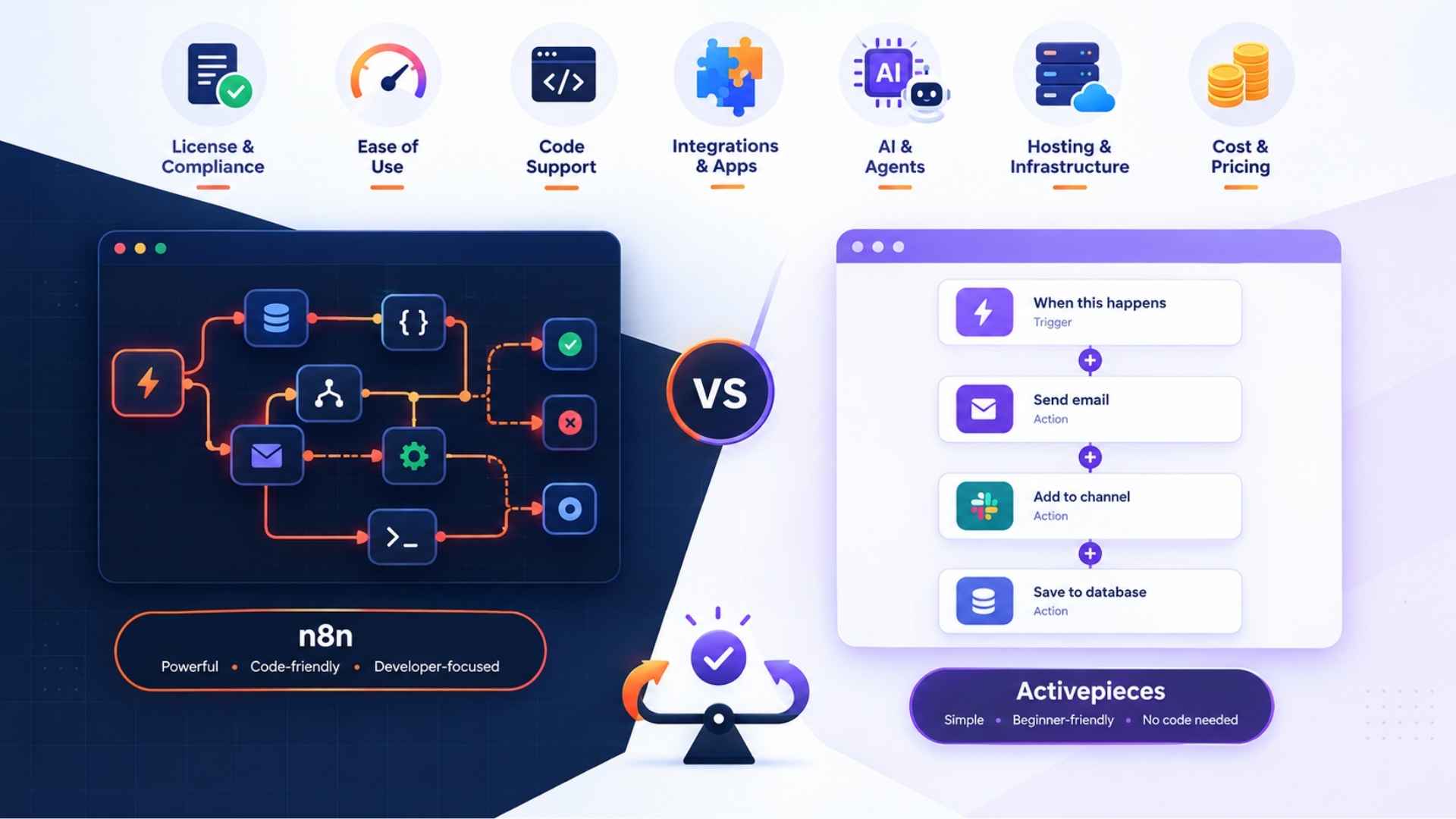
n8nTechnical teams, self-hostingSteepStrong AI agent nodes
GumloopAI-native, heavier data workModerateAI-first canvas
LindyPrebuilt AI assistants for opsEasyAI “employees” for repetitive roles
WorkatoEnterprise-grade approvalsSteepCompliance-friendly AI routing

New to this? Zapier or Make will feel the most familiar out of the gate. Got heavier data or custom logic to deal with? n8n and Gumloop give you more room to actually build what you need instead of working around a template.

How Do You Actually Start With AI Workflow Automation?

Most people over complicate this and stall out before they finish anything. A smaller start works better.

  1. Pick one task you’re sick of doing manually, something that eats real time every week.
  2. Map out the current process by hand first, before touching any software.
  3. Figure out where a judgment call actually happens, that’s where AI goes.
  4. Build it somewhere safe first, not live, not with real customer data.
  5. Test it with messy, real examples, not the clean ones you’d use in a demo.
  6. Let it run for two weeks and actually check the outputs before trusting it fully.

A small workflow that works beats a huge one that’s half-finished, every single time.

Read more: Search Engines That Don’t Use AI: 7 Surprisingly Reliable Picks

Mistakes People Keep Making With AI Workflow Automation

A handful of these show up again and again, so it’s worth knowing them before you build anything.

  • Automating a process that was already broken, which just makes the chaos happen faster
  • Skipping testing and connecting real customer data on day one
  • Writing a lazy, vague prompt and then blaming the tool when it gets things wrong
  • Letting AI make high-stakes decisions with zero human checking in
  • Setting it live and never looking at it again, until something’s gone wrong for weeks

None of this is a reason to avoid AI workflow automation. It’s just the difference between it actually saving you time and it quietly creating a new mess somewhere else.

Read more: Best AI Tools in 2026: Everything You Need to Know

FAQs

Is AI Workflow Automation the Same Thing as a Regular Workflow Builder?

Not really. A regular workflow builder just follows rules you set. AI workflow automation adds an actual thinking step, where it reads something and decides what should happen next.

Do I Need to Know How to Code for This?

No, not for most of the popular tools like Zapier, Make, or Lindy. n8n is really the only one that rewards some technical comfort.

Is It Safe to Use AI Workflow Automation With Sensitive Data?

It depends heavily on the tool and how you set it up. Stick with platforms that have a good reputation, avoid feeding in more personal data than necessary, and keep a human checking anything sensitive.

How Much Does AI Workflow Automation Usually Cost?

Most tools give you a decent free tier to start. Once you outgrow it, paid plans generally run somewhere between $9 and $40 a month, depending on volume and how complex your automations get.

Can a Small Business Actually Benefit From This, or Is It Overkill?

Honestly, small teams often benefit the most. Saving even a few hours a week matters a lot more when there’s no spare headcount to absorb the busywork.

What’s the Biggest Risk With AI Workflow Automation?

Trusting it too fast. Watch the outputs closely for the first few weeks, and keep a human in the loop on anything customer-facing.

Final Thoughts

AI workflow automation isn’t about pulling people out of the process. It’s about giving them their time back, and letting AI handle the repetitive thinking nobody actually wanted to do in the first place.

Pick one workflow, run it properly for a couple of weeks, and let the results tell you whether it’s worth building out further.

Not sure where AI workflow automation actually fits into how your team works? Get in touch and we’ll figure it out together.

So, you’re tired of watching your Ahrefs credits disappear before the month even ends. Fair enough. That “credit system” trips up a lot of people, and once you add a couple of team seats, the bill stops feeling reasonable. That’s usually the exact moment people start searching for Ahrefs alternatives at midnight, hoping something cheaper does the same job.

I’ve spent time with most of the tools on this list, either for client work or just poking around during a free trial. Some are genuinely close replacements. Others only do one thing well, but that one thing happens to be the reason people leave Ahrefs in the first place. Below, I’ll walk through seven of them, what each one actually gets right, and who should probably skip it.

There are two comparison tables in here too, because staring at a wall of paragraphs to compare pricing is nobody’s idea of fun.

Why People Look for Ahrefs Alternatives in the First Place

Ahrefs Alternatives
Ahrefs Alternatives

Ahrefs earned its name honestly. The backlink index is huge, the keyword data is clean, and agencies have relied on it for years. None of that is really in dispute.

But three things keep pushing users elsewhere:

  • The price climbs fast once you’re past a single-user plan.
  • Credits and row limits run dry mid-project, right when you need them most.
  • New users can feel buried under the number of reports available.

None of that makes Ahrefs bad. It just means the tool doesn’t fit every budget, and that gap is exactly where good Ahrefs alternatives earn their spot. The seven below cover different budgets and different jobs, so there’s a decent chance one of them fits what you actually need.

Read more: Ahrefs vs Majestic 2026: Which Is the Better SEO Tool?

Quick Comparison Table for Ahrefs Alternatives

ToolBest ForStarting PriceFree Plan
SemrushAll-in-one SEO and content~$139/moLimited free version
SE RankingFull SEO suite, lower cost~$65/moFree trial only
Moz ProBeginners, small teams~$49/mo30-day trial
MangoolsBudget keyword research~$29/moLimited daily searches
UbersuggestSolo bloggers, freelancers~$29/moYes, with limits
SpyFuCompetitor and PPC digging~$39/moLimited free search
MajesticBacklink-only analysis~$49/moLimited free lookups

Pricing shifts often enough that I’d still double-check each site before buying anything.

1. Semrush

Semrush
Semrush

Semrush is probably the closest thing to a true Ahrefs replacement, and it’s often the first name that comes up when people ask about Ahrefs alternatives. Keyword research, site audits, rank tracking, backlink data, content tools – it’s all sitting in one dashboard, which is a big reason agencies gravitate toward it.

What’s changed in 2026 is the AI visibility tracking. It shows you how a brand actually shows up inside AI-generated answers, not just the old-school blue links. That’s a real edge Ahrefs doesn’t quite match yet.

Who’s it for? Honestly, agencies and bigger in-house teams juggling several client sites. If you’re a solo freelancer with two clients, this might be overkill, and the price tag will feel that way too.

2. SE Ranking

SE Ranking
SE Ranking

SE Ranking gets recommended a lot among Ahrefs alternatives for a simple reason: it covers most of what Ahrefs does (rank tracking, audits, back links, keyword research) at a noticeably lower price, with usage caps that don’t feel as stingy.

This year it leaned further into AI-assisted content tools and sharper local SEO tracking, which is a nice bonus if you’re working with clients tied to specific cities.

Who’s it for? Agencies watching their margins closely. It’s technical enough for pros but doesn’t punish beginners either.

3. Moz Pro

Moz Pro
Moz Pro

Moz basically invented Domain Authority, and people still reference it constantly, even when they’re using other tools. The platform itself keeps things clean and readable, which makes it a comfortable landing spot for anyone newer to SEO.

The 2026 update focused on plainer, more actionable page-optimization suggestions. Less “here’s your data,” more “here’s what to actually fix.”

Who’s it for? Beginners, small business owners, content folks who’d rather get direct answers than dig through raw numbers. Among all the Ahrefs alternatives on this list, Moz Pro is the friendliest starting point, though enterprise teams chasing deep backlink data will probably still want something heavier.

Read more: Semrush vs Ahrefs vs Moz vs Ubersuggest Things You Need to Know

4. Mangools

Ahrefs Alternative
Ahrefs Alternative

Mangools bundles five small tools together (KWFinder for keywords, SERPWatcher for rank tracking, and a few others) and keeps everything simple instead of trying to be a full suite.

This year’s update improved keyword difficulty accuracy and sped up SERP data refreshes, closing part of the gap with pricier competitors.

Who’s it for? Solo marketers, students, and small blogs. If you’re managing dozens of client sites, you’ll outgrow this fairly quickly.

5. Ubersuggest

Ahrefs Alternative
Ahrefs Alternative

This is Neil Patel’s tool, built around keyword suggestions, content ideas, and basic backlink data. Among cheaper Ahrefs alternatives, its real selling point is a free tier you can actually use, not just a locked demo.

New this year: AI-generated content briefs built right into the keyword reports, so you can go from research to a rough draft faster.

Who’s it for? Bloggers, freelancers, small e-commerce owners who want quick answers and don’t want a steep learning curve or a steep bill.

6. SpyFu

Ahrefs Alternative
Ahrefs Alternative

SpyFu does one job and does it well: it shows you exactly what your competitors rank for, organically and in paid search. Of all the Ahrefs alternatives on this list, it’s the sharpest for competitor tear down, and it often beats Ahrefs on detail here.

The 2026 update stretched its historical PPC data back further, which is genuinely useful for agencies pitching new clients with long-term ad history in hand.

Who’s it for? PPC managers and agencies building new-business pitches. Less useful day-to-day if link building is your main task.

7. Majestic

Ahrefs Alternative
Ahrefs Alternative

Majestic doesn’t pretend to be everything. It’s backlink s, full stop, using Trust Flow and Citation Flow instead of Domain Authority. For serious link builders, that narrow focus is the whole point.

This year Majestic extended its historic index further back, which helps a lot when auditing older domains or ones you just acquired.

Who’s it for? Link-building specialists and technical SEOs who already have other tools covering keywords and just need serious backlink depth.

Feature Comparison Table of Ahrefs Alternatives

ToolBacklink DataKeyword ResearchContent ToolsBest For
SemrushStrongStrongStrongAgencies, enterprise
SE RankingGoodGoodGoodBudget-conscious agencies
Moz ProModerateGoodModerateBeginners
MangoolsBasicGoodBasicSolo marketers
UbersuggestBasicModerateGood (AI briefs)Bloggers, freelancers
SpyFuModerateModerateBasicPPC and competitor research
MajesticExcellentBasicNoneLink builders

Read more: Semrush vs Ahrefs vs Moz vs Ubersuggest Things You Need to Know

Which of These Ahrefs Alternatives Should You Choose?

Ahrefs Alternatives
Ahrefs Alternatives

Here’s the honest answer, not the wishy-washy one.

Running an agency with several client sites and want one login for nearly everything? Go with Semrush. It costs more, but it replaces three or four smaller tools, which usually pays for itself.

Tight on budget but still need a real SEO suite? SE Ranking is the pick. You get rank tracking, audits, and backlink data without Ahrefs-level pricing, and it scales fine as your client list grows.

New to SEO and want something that explains itself in plain terms? Moz Pro. It won’t drown you in reports you don’t understand yet.

Solo blogger, freelancer, or small business owner watching every dollar? Ubersuggest or Mangools fit best. Both are cheap, and you can learn either one over a weekend.

Mostly digging into competitors’ ad strategy? SpyFu. Nothing else here goes as deep on PPC history.

Back links are basically your whole job? Majestic. Its Trust Flow metric is still trusted by people who’ve been doing link building for years.

The short version: pick based on what’s actually slowing you down right now, not whichever tool has the longest features page.

FAQs

Is there a free alternative to Ahrefs? Yes, Ubersuggest and Mangools both have usable free tiers, though with daily limits. Semrush and SE Ranking offer trials instead of a permanent free plan.

Which Ahrefs alternative works best for beginners? Moz Pro. It explains things in plain language rather than dumping raw data on you.

Which one has the strongest backlink data? Majestic. It’s built purely around backlink s and often matches or beats Ahrefs on historical link depth.

Can one tool fully replace Ahrefs? Semrush comes closest, since it covers keywords, audits, rank tracking, and backlink s under one roof.

Are any of these good for agencies? Semrush and SE Ranking both, yes. White-label reports and multi-client management make them solid agency picks.

Is Ahrefs still worth it in 2026? Sure, for backlink depth and keyword accuracy it’s still strong. It’s just not the only option anymore, and a few of these alternatives now beat it on price or on newer AI content features.

Read more: Results-Driven SEO copy writing services for Businesses That Want Growth

Final Thoughts

There isn’t one “best” pick among Ahrefs alternatives for everyone, and honestly, anyone who tells you there is hasn’t tried enough of them. Semrush works for agencies. SE Ranking works for budget-minded teams. Moz Pro works for beginners. Mangools and Ubersuggest work for solo marketers. SpyFu works for PPC-focused research. Majestic works for pure link builders.

Pick whatever solves your actual bottleneck, not the one with the flashiest homepage.

Still not sure which one fits your setup? Contact us and we’ll help you figure it out.

You’re trying to pick an SEO tool and every review site tells you something different. One post says Semrush is the best. Another swears by Ahrefs. Your friend uses Ubersuggest because it’s cheap, and your old boss wouldn’t stop talking about Moz’s Domain Authority score. If you searched Semrush vs Ahrefs vs Moz vs Ubersuggest hoping for a straight answer, I get it — most articles online just repeat each other.

I’ve actually used all four of these on real projects, not just skimmed their homepages. So here’s what I’ve noticed, category by category: keyword research, back links, site audits, pricing, and the newer AI visibility stuff too. No fluff, just what works and what doesn’t.

Why This Comparison Even Matters Now?

Semrush vs Ahrefs vs Moz vs Ubersuggest

A few years ago this was simple. You picked a tool, you tracked Google rankings, done. Now people get found through ChatGPT, Gemini, Perplexity, AI Overviews – search isn’t just a blue-link page anymore.

That shift caught some of these tools off guard. Semrush and Ahrefs moved fast and built new tracking features. Moz and Ubersuggest, honestly, are still playing catch-up in that department. So the Semrush vs Ahrefs vs Moz vs Ubersuggest conversation reads pretty differently than it did even two years ago.

Anyway, let’s get into it.

Quick Comparison of Semrush vs Ahrefs vs Moz vs Ubersuggest

Here’s the short version if you’re in a rush.

ToolStarting PriceBest ForKnown For
Semrush$139.95/monthAgencies, full marketing teamsAI visibility tracking
Ahrefs~$129/monthBacklinks, competitor diggingBiggest backlink database
Moz$49–$99/monthBeginners, local SEODomain Authority
Ubersuggest$12–$29/month (lifetime option)Bloggers, tight budgetsOne-time lifetime pricing

Now the reasoning behind these numbers.

Semrush vs Ahrefs vs Moz vs Ubersuggest: Keyword Research

Semrush vs Ahrefs vs Moz vs Ubersuggest

Every SEO project starts here. Mess this part up and everything after it is basically wasted effort.

Semrush’s keyword tool sorts things by topic and intent, which is nice if you’re planning a content calendar for a whole team, not just yourself.

Ahrefs is the one most people trust for accurate numbers, and in my experience that reputation holds up. Its volume and difficulty scores tend to match what actually happens once you start ranking. If real numbers matter more to you than extra features, go with Ahrefs.

Moz keeps its keyword tool pretty basic. Fine for someone just starting out, but you’ll outgrow it fast if you’re running real campaigns.

Ubersuggest gets the job done for a blogger picking a handful of topics a month. It’s not really built for an agency juggling ten client accounts at once, though.

Ahrefs wins on accuracy. Semrush wins on scale. Ubersuggest is fine if you just need something cheap and simple.

Read more: Ahrefs vs Majestic 2026: Which Is the Better SEO Tool?

Back links: This Is Where You Really See The Gap

This is where Semrush vs Ahrefs vs Moz vs Ubersuggest stops being a close call – the four tools really start to feel different here.

Ahrefs is still the name people mention first when back links come up, and for good reason – its database is the largest out there. If link building is a real part of your strategy, this is hard to top.

Semrush isn’t far off, honestly. Its back link tool loads fast and plays nicely with everything else on the platform.

Moz gave the industry Domain Authority, a metric people still bring up constantly. Its link tool works well, just smaller than what Ahrefs or Semrush has.

Ubersuggest’s back link data is okay for a small site. But if you’re putting together client reports, it usually doesn’t hold up to scrutiny.

Ahrefs takes this one, not much of a contest.

Site Audits: Who Actually Tells You What’s Broken?

Semrush vs Ahrefs vs Moz vs Ubersuggest

None of these matters if the tool can’t tell you what’s wrong with your site in the first place.

Semrush’s audit reads almost like a report you could hand straight to a client. It even flags a few things tied to AI search now, which is new this year.

Ahrefs runs its audit through the cloud and handles JavaScript-heavy pages without choking, which technical folks tend to appreciate.

Moz keeps its audits simple and readable – good if you don’t have a dedicated technical SEO person on staff.

Ubersuggest handles smaller sites fine but slows down badly once you’re auditing anything past a thousand pages.

Semrush for a full report, Moz if you just want something you can actually understand.

Competitor Research of Semrush vs Ahrefs vs Moz vs Ubersuggest

Knowing what the other guy is doing is often more useful than obsessing over your own numbers.

Semrush wins here, easily. Its Traffic Analytics tool shows more than organic rankings – paid ads, keyword spend, even social performance. If a competitor’s growth is coming from somewhere you didn’t expect, this usually catches it.

Ahrefs sticks closer to organic and back link data. Narrower view, but reliable.

Moz and Ubersuggest both show you a basic competitor snapshot, but neither goes deep enough to fully map out someone else’s playbook.

Semrush, if you want the whole picture.

Read more: Google Assistant vs Gemini: Which Is Better?

Semrush vs Ahrefs vs Moz vs Ubersuggest: Pricing Compared

Let’s be real, price usually settles this argument faster than any feature list.

ToolEntry PlanMid-Tier PlanGood Fit
Semrush$139.95/monthHigher tiers add AI & PPC dataAgencies, full-service teams
Ahrefs~$129/month (Lite)$249/month (Standard)Link-focused SEOs
Moz$49/month (Starter)$99/month (Standard)Beginners, local businesses
Ubersuggest$12–$29/monthLifetime plan ($290–$490)Solo marketers, bloggers

Ubersuggest’s lifetime option is genuinely unusual for this market. Pay once, use it forever. None of the other three offer that.

Semrush sits at the top of this list because it’s stopped being “just an SEO tool” – it’s more of a full marketing platform now, with SEO as one piece of it.

AI Search Visibility of Semrush vs Ahrefs vs Moz vs Ubersuggest

Semrush vs Ahrefs vs Moz vs Ubersuggest

Ranking on Google isn’t the whole game anymore. Brands want to know if they’re showing up when someone asks ChatGPT or Gemini a question too.

Semrush leads on this through its Semrush One feature, tracking visibility across five different AI platforms. Ahrefs followed with something called Brand Radar, covering six platforms. Moz and Ubersuggest, so far, haven’t really caught up here.

If AI visibility matters to your brand right now, Semrush and Ahrefs are simply ahead.

Read more: Grok vs ChatGPT: Which AI Is Better in 2026?

Ease of Use

Not everyone wants to spend a week figuring out a new dashboard.

Moz is the easiest to pick up out of the four. Nothing feels overwhelming, and its Chrome extension is handy for quick checks.

Ubersuggest is close behind it – clean, simple, good for someone just getting started.

Semrush and Ahrefs both do a lot more, which also means there’s more to learn. Give either one a few weeks before you judge it.

Moz wins if ease of use is your main concern.

Semrush vs Ahrefs vs Moz vs Ubersuggest: Which One Should You Pick?

When it comes down to Semrush vs Ahrefs vs Moz vs Ubersuggest, there’s no single winner that fits everyone. It really comes down to what you do and what you can spend.

  • Pick Semrush if you run an agency or want one tool covering SEO, ads, content, and AI visibility together.
  • Pick Ahrefs if back links and competitor research matter most, and you want data you can actually trust.
  • Pick Moz if you’re new to SEO and don’t want to feel overwhelmed, especially for local business work.
  • Pick Ubersuggest if you’re a blogger or small business owner watching every dollar.

If I had to name one overall winner, it’s Semrush. It just covers the most ground – SEO, competitor tracking, AI visibility, reporting, all under one roof. Ahrefs is a close second, especially for anyone focused on back links. Moz and Ubersuggest aren’t lesser tools by any means, they just serve smaller budgets and simpler needs really well.

Read more: Best SEO Marketing Tools (2026) – Free & Paid Tools Compared

FAQs

Which tool gives the most accurate keyword data?

Ahrefs. Its numbers tend to line up best with what actually happens once you start ranking.

Is Ubersuggest good enough for professional SEO work?

Not really, for agencies or client work needing solid data you can back up. It’s better suited for bloggers and smaller sites.

Why do people still talk about Moz if its data is smaller?

Mostly because of Domain Authority. It’s also easy to use and strong for local SEO.

Does Semrush track AI search visibility?

Yes, through Semrush One, which covers five AI platforms including ChatGPT, Gemini, and Google AI Overviews.

Can I use two of these tools together?

Sure, a lot of agencies do exactly that. A common setup is Semrush for overall reporting plus Ahrefs for deeper back link work.

Which one is cheapest long-term?

Ubersuggest, especially with its lifetime plan. None of the other three offer a one-time payment option.

Semrush vs Ahrefs vs Moz vs Ubersuggest

Final Thoughts

Picking between Semrush, Ahrefs, Moz, and Ubersuggest was never really about finding the “best” one. It’s about finding the one that fits how you actually work and what you can afford right now.

Each of these tools can genuinely help you grow, but only if it matches your workflow instead of fighting against it.

Still not sure which one fits your setup? Contact us and we’ll help you figure it out.

Anyone who has spent time in SEO knows back links matter. They show search engines who trusts your site enough to link to it. But you can’t judge back link quality by eyeballing it. You need real data, and that’s why the Ahrefs vs Majestic debate shows up in almost every conversation about link building tools.

Both tools crawl huge parts of the web and build their own back link databases. Both will tell you who links to you and who links to your competitors. But they were built with different goals in mind. Ahrefs grew into a full SEO platform over the years. Majestic never tried to be that. It stayed focused on one job: analyzing links.

So this isn’t really a question of which tool is objectively better. It depends on how you work, what you’re paying for, and what you actually need day to day. Below, we’ll walk through what each tool does, what’s changed in 2026, and which one makes more sense for your setup.

What Is Ahrefs?

Ahrefs vs Majestic
Ahrefs vs Majestic

Ahrefs started out as a back link checker but has since turned into a complete SEO toolkit. It now covers keyword research, rank tracking, site audits, content research, and back link analysis, all in one place.

Its crawler is one of the busiest on the web, so new links usually show up within a day or two on sites that get crawled often. On top of back links, Ahrefs gives you Content Explorer for finding topic ideas, a full Keywords Explorer with search volume and difficulty scores, and a Site Audit tool that catches broken pages, redirect chains, and indexing problems. If you’d rather manage your SEO from one dashboard instead of five, this is the tool built for that.

Read more: Ahrefs vs Moz 2026: The Honest Comparison

What Is Majestic?

Ahrefs vs Majestic
Ahrefs vs Majestic

Majestic took a different route. It never tried to compete as an all-in-one platform, and honestly, it doesn’t need to. It just does back links, and it does them well.

Its two well-known metrics, Trust Flow and Citation Flow, separate link quality from link quantity. Majestic also holds onto an unusually large historical index, so you can look back years into a domain’s link history instead of just the last few months. Features like the Neighborhood Checker and Clique Hunter go even further, helping you spot patterns that hint at private blog networks or spammy link schemes. If you do a lot of link audits or penalty recovery work, that kind of depth is hard to replace.

What’s New With Ahrefs and Majestic in 2026

Both tools kept building this year, and the gap between them has moved a bit.

Ahrefs added more AI-driven content and keyword features, sped up its crawl frequency, and tied back link data more closely to organic traffic numbers. That means you can now check not just how strong a link looks, but how much actual traffic it’s sending.

Majestic focused on refining its Topical Trust Flow scoring and improved its Bulk Back link Checker, which now handles much larger URL lists at once. It also kept building out niche tools for PBN detection and link neighborhood mapping, things most general SEO platforms don’t bother with.

So the basic story hasn’t changed much. Ahrefs keeps getting broader. Majestic keeps getting sharper at its one job. Neither seems interested in copying the other, which is probably why both still have loyal users.

Ahrefs vs Majestic: Core Feature Comparison

Ahrefs vs Majestic
Ahrefs vs Majestic

Here’s a quick side-by-side look at how the two tools compare on the features people ask about most.

FeatureAhrefsMajestic
Backlink indexMassive, updated oftenVery large, deep historical data
Keyword researchFull-featured, with volume and difficultyBarely any
Site auditAdvanced technical SEO scanningNot available
Unique metricsDomain Rating (DR), URL Rating (UR)Trust Flow, Citation Flow, Topical Trust Flow
Bulk link checkingAvailable, moderate scaleHandles very large batches
InterfaceModern and easy to pick upGets the job done, feels more technical
Best forRunning your whole SEO workflowFocused link analysis

If you need one tool to handle most of your SEO work, Ahrefs covers more ground. If back links are basically your whole job, Majestic gives you sharper, more specialized numbers to work with.

Do You Need Breadth or Depth?

This is really where the decision comes down to how you work, not which name sounds more familiar.

Who Ahrefs Works Better For?

Ahrefs makes sense for agencies, in-house marketers, and solo SEO juggling several jobs at once. You get keyword research, content ideas, rank tracking, and site audits without opening five different tabs. If you’re running SEO for several clients with limited time, having it all in one place actually saves hours.

Who Majestic Works Better For?

Majestic is built for people who spend most of their time inside back link profiles: link builders, auditors, consultants doing deep link work. Topical Trust Flow tells you which industries are sending you authority, which is genuinely useful when you’re vetting a guest post site. The Neighborhood Checker and Clique Hunter catch patterns most all-in-one tools never even look for.

The Real Technical Difference

Majestic’s historical index runs deeper, which matters a lot for penalty recovery. You can go back years and pinpoint exactly when a bad link pattern started. Ahrefs leans the other way and prioritizes speed. Its crawler updates faster, so it’s better for keeping an eye on competitors day to day.

A Simple Way to Decide

If most of your time goes into keyword research, content planning, and fixing technical SEO issues, Ahrefs already has that covered without needing a second tool. If you’re mostly qualifying prospect lists, checking guest post sites, or explaining link quality to clients using trust scores, Majestic’s numbers will do more for you.

Neither tool is the “wrong” choice here. It just depends on what you spend your day doing.

Read more: Google Assistant vs Gemini: Which Is Better?

Ahrefs vs Majestic: Pricing Comparison

Price tends to settle a lot of these debates on its own. Here’s roughly where each tool lands.

Plan TypeAhrefsMajestic
Entry-levelAround $129/monthAround $50/month
Mid-tierAround $249–$449/monthAround $100–$400/month
Top-tierUp to $1,499/monthAround $400/month
What you’re paying forA full SEO toolkitBacklink-only specialization

Majestic is the cheaper option if back links are really all you need. Ahrefs costs more, but that extra cost covers tools you’d otherwise have to buy separately.

Which Back link Tool Should You Choose?

Ahrefs vs Majestic
Ahrefs vs Majestic

Here’s the straightforward answer.

Go With Ahrefs If

You’re handling a full SEO strategy and need keyword research and content tools alongside back links, or you’re running an agency with different client needs. The higher price makes sense once you factor in everything else it replaces, and its faster-updating index keeps competitor data current.

Go With Majestic If

Your work is mostly link building, link auditing, or penalty recovery. Trust Flow and Citation Flow are still some of the most trusted metrics in the industry for this kind of work, and nothing else matches its historical depth.

Or Just Use Both

Plenty of agencies run both tools side by side. Ahrefs handles the day-to-day SEO work, and Majestic gets pulled out for deeper link forensics when a client needs it. If your budget allows it, that combination covers speed and depth at once. If you can only afford one, though, base the decision on what you actually do most days, not on which tool has the bigger name.

Read more: ChatGPT Plus vs Pro: Thing You Need to Know Before Choosing

Frequently Asked Questions

Is Ahrefs better than Majestic overall? Ahrefs has the broader toolkit, so it works better for general SEO. Majestic still holds its own for specialized, deep back link work.

Is Majestic’s data less accurate than Ahrefs? Not less accurate, just aimed at different things. Ahrefs focuses on fresh, current link data. Majestic focuses on historical depth and trust-based scoring.

Can I use just one of these tools instead of both? Yes, and plenty of people do. It really depends on whether your work leans toward general SEO or mostly link building.

Which tool is easier to learn? Ahrefs has a cleaner interface, so most people pick it up faster. Majestic feels more technical and takes a bit longer to get used to.

Do either of these tools have a free version? Both have offered limited free tools at times, like Ahrefs Webmaster Tools or Majestic’s free back link checker. It’s worth checking each site directly, since these change.

Is Majestic still worth paying for in 2026? For link specialists, yes. Trust Flow and Topical Trust Flow are still unique metrics that broader platforms haven’t really replicated.

Do agencies actually use both tools? Quite a few do. Ahrefs covers daily SEO management, and Majestic gets used for deeper back link audits when clients need that level of detail.

Final Thoughts

The Ahrefs vs Majestic question doesn’t really have a universal winner. It comes down to which tool fits how you actually work. Ahrefs gives you breadth and speed in one dashboard. Majestic gives you depth and specialist-level link data. Base your choice on your daily workflow, not on which name you’ve heard more often.

Still not sure which one fits your setup? Contact us and we’ll help you figure it out.

Still asking Google Assistant to set your alarm? With Google Assistant vs Gemini now in full swing, you might want to get used to a new voice.

For over a decade, Google Assistant handled the small stuff. Timers, weather, lights, reminders. It never asked for much attention, and it rarely disappointed. That era is closing fast. Google Assistant vs Gemini isn’t a future debate anymore. It’s happening this week, whether you signed up for it or not.

So what’s actually changing? And should you be worried? Let’s break it down.

What’s Actually Happening on September 4?

Google Assistant vs Gemini

Google has confirmed it. Google Assistant is being removed from Android phones, tablets, and Wear OS starting September 4, 2026. Gemini takes over as the default assistant on those devices.

Google first flagged this move in March 2025. It got delayed once, from late 2025 into 2026. Now the date is locked in.

There’s one exception worth knowing. Cars with Google built-in keep the classic Assistant beyond that date. So if you rely on your car’s voice system, you have more time. Everyone else moves on schedule.

Read more: ChatGPT Plus vs Pro: Thing You Need to Know Before Choosing

Is This Just a Re-brand?

Google Assistant vs Gemini

Short answer: no.

Google Assistant ran on a rules-based system. You gave it a command, and it matched that command to a fixed action. Fast, predictable, limited.

Gemini works on a completely different model. It’s powered by a large language model, which means it generates answers instead of pulling them from a script. That single difference changes how the whole interaction feels. Assistant followed instructions. Gemini holds a conversation.

There’s a trade off here too. A rules-based system behaves the same way every single time. A generative one is more flexible, but answers can vary slightly between requests. For a five-minute timer, that barely matters. For a multi-step task, it’s a real upgrade.

How Big Is Gemini Actually Getting?

Numbers tell the story better than opinions do.

MetricFigureAs Of
Monthly active users1 billion+August 11, 2026
Images generated daily150 million+August 11, 2026
Share of AI assistant web referrals~9%April 2026
Assistant removal beginsPhones, tablets, Wear OS, Android AutoSeptember 4, 2026
Google Assistant vs Gemini

This isn’t adoption forced by a switch flip. People are actively using Gemini’s wider feature set, not just tolerating it.

What Can Gemini Do That Assistant Never Could?

Google Assistant vs Gemini

Assistant was built for short, direct commands. Weather checks, alarms, basic smart home actions. It was never designed for deep reasoning or content creation.

Gemini reaches further into your apps and accounts. On August 13, 2026, a new model called Gemini 3.7 Flash started powering a feature called Gemini Spark, available to Pro and Ultra subscribers in over 160 countries.

Spark can use your logged-in accounts and saved passwords to run tedious errands for you. Google’s own example is scheduling apartment viewings or researching flight options automatically.

That’s a big jump from setting a kitchen timer. It also raises a fair question: how comfortable are you giving an assistant that level of access to your accounts?

Does Assistant Still Win at Anything?

Yes, actually.

Some smart home setups still lean on the Assistant back-end behind the scenes, even while Gemini becomes the visible interface. Assistant remains the safer bet for mission-critical automation until Gemini reaches full feature parity.

Speed is another factor. Assistant still answers faster for short commands like setting a timer. Gemini can take a moment longer, but it usually gives you a richer, more useful answer in return.

Read more: Grok vs ChatGPT: Which AI Is Better in 2026?

Will Your Device Handle the Switch Well?

That depends on what you’re using.

Device TypeExperience
Pixel phonesSmoothest rollout, Google controls hardware and software
Samsung (recent One UI)Supported, but relies more on cloud processing
Older Android phonesRougher transition, limited AI hardware
Legacy IoT devicesGradually catching up, some gaps remain
Cars with Google built-inNot affected by the September deadline
Google Assistant vs Gemini

If you’re on an older phone, expect a few rough edges early on. That’s normal with any major platform shift.

What Should You Do Before September 4?

You don’t need to panic. A few small steps now will save you a headache later.

  • Open the Gemini app today and get familiar with the layout before the switch forces your hand
  • Check your smart home routines and confirm lights, locks, and thermostats still respond correctly
  • Review what permissions you’re giving Gemini Spark before letting it access saved accounts
  • Skip the stress entirely if you use Google built-in in your car. You’re not affected yet

So, Which One Actually Wins?

There’s no universal answer here. It depends entirely on how you use your phone.

If your daily habit is short, repetitive commands, you might miss Assistant’s speed and consistency at first. If you want an assistant that understands context, handles multi-step tasks, and can act across your apps, Gemini is a clear step forward.

What’s certain is the direction. Gemini isn’t just an app you download anymore. It’s becoming the default layer that answers the moment you hold down the power button on a phone you already own.

Google built Assistant’s reputation on being predictable for over ten years. Whether Gemini’s more flexible, conversational style feels like progress or an adjustment period will come down to how you actually use your phone every day.

Either way, the countdown is real. September 4, 2026 marks the end of one era and the start of another for one of the most widely used voice assistants ever built.

Frequently Asked Questions

1. When does Google Assistant actually stop working?
Removal begins September 4, 2026, on phones, tablets, Wear OS, and Android Auto.

2. Will I lose Google Assistant on my car?
No. Cars with Google built-in keep the classic Assistant beyond the September deadline.

3. Do I need to install Gemini myself?
No. Gemini becomes the default assistant automatically on affected Android devices.

4. Is Gemini slower than Google Assistant?
For short commands like timers, sometimes yes. For complex tasks, it usually makes up for it with better answers.

5. Will my smart home routines still work?
Most will. Some features still run on the Assistant back-end behind the scenes, so it’s worth double checking your routines after the switch.

6. What is Gemini Spark?
A feature for Pro and Ultra subscribers that uses your saved accounts to handle tasks like scheduling or research automatically.

7. Which phones get the best Gemini experience?
Pixel devices get the smoothest roll out, since Google controls both the hardware and software.

Read more: Perplexity vs Claude: The Ultimate Simple Guide for 2026

Conclusion

Google Assistant vs Gemini

Google Assistant vs Gemini isn’t a debate you can sit out. The switch is happening on a fixed date, and it’s reaching most Android users whether they’re ready or not. Take a few minutes now to explore Gemini, check your smart home setup, and understand what permissions you’re giving it. That small effort now will make September 4 feel like an upgrade instead of a surprise.

Still have questions about the switch or need help setting up Gemini on your devices? Contact us and we’ll walk you through it.

You are staring at your ChatGPT settings, weighing ChatGPT Plus against ChatGPT Pro, and wondering if the extra cost is worth it. That single decision, chatgpt plus vs pro, trips up thousands of users every month. Honestly, it tripped me up too, right up until the week I hit a message cap in the middle of a client deadline and had to sit there watching a countdown timer instead of working.

Some people jump straight to Pro because they assume expensive means better. Others stick with Plus out of pure habit and never bother checking if they are missing something useful. Neither approach is smart, and neither one is really about the tool. It is about knowing your own habits well enough to spend money on the right problem. This guide breaks down chatgpt plus vs pro in plain, no-nonsense language, so you walk away knowing exactly which plan fits your workflow instead of just guessing.

ChatGPT Plus vs Pro: The Quick Answer

ChatGPT Plus vs Pro
ChatGPT Plus vs Pro

Before diving into details, here is the short version. ChatGPT Plus costs $20 a month and covers most everyday tasks: writing, research, coding help, and image generation. ChatGPT Pro costs $200 a month and removes nearly every limit, while unlocking heavier reasoning models and massive context windows. Consequently, Plus works for casual to moderately heavy users, while Pro suits professionals who run ChatGPT for hours daily. That is the essence of chatgpt plus vs pro, but the real value shows up once you look at pricing, features, and limits side by side.

Quick Verdict: If you have ever asked “should I upgrade,” you probably have not. Real Pro users know within a week because the limits get in their way daily. If that is not you yet, save the $180 and stay on Plus.

The Coffee Shop Test: A Simple Way to Decide

Here is a quick analogy that makes chatgpt plus vs pro easier to picture. Think of ChatGPT Plus as a solid coffee subscription. It gets you a great cup every single day, no waiting, no fuss, and it covers your regular routine without draining your wallet. ChatGPT Pro, meanwhile, is like hiring a personal barista who never closes, never runs out of beans, and shows up the moment you need a custom order at 2 a.m. before a deadline.

Most people do not need a personal barista. They need reliable coffee every morning, and that is exactly what Plus delivers. However, if your work depends on that barista being available around the clock, no excuses, no closing time, then Pro stops being a luxury and starts being infrastructure. Keep this test in your back pocket. It cuts through the marketing noise faster than any spec sheet.

What Is ChatGPT Plus?

ChatGPT Plus sits at $20 per month, and it remains OpenAI’s most popular paid tier. Subscribers get access to the flagship GPT-5 model along with GPT-5 Thinking for tougher reasoning tasks. Furthermore, Plus includes generous message allowances, roughly 160 messages every three hours on the main model and thousands of weekly messages on the reasoning variant. That is more than enough room for daily writing, brainstorming, and coding support.

Beyond raw messages, Plus unlocks image generation, a capped but useful version of Deep Research, Custom GPTs, advanced voice mode, and limited Sora video access. In other words, you get nearly the full ChatGPT experience without the premium price tag. For freelancers, students, marketers, and small business owners, this tier usually covers everything needed on a normal day.

What Is ChatGPT Pro?

ChatGPT Plus vs Pro
ChatGPT Plus vs Pro

ChatGPT Pro sits at the top of the pricing ladder, and OpenAI now splits it into two tiers: a $100 option offering five times the usage of Plus, and a $200 option offering twenty times the usage along with the most powerful model access. Either way, the jump from Plus is significant. Pro users get near-unlimited usage, subject only to abuse guardrails, meaning message caps rarely become a daily headache.

Additionally, the $200 tier unlocks GPT-5.5 Pro, a heavier reasoning mode built for complex research, advanced coding, and multi-step problem solving. Context windows expand dramatically too, stretching well beyond what Plus offers, which matters enormously for anyone processing long documents or massive code bases in a single session. Pro also grants priority access during high-traffic periods and early entry to experimental tools like Operator. So while the price tag looks steep, the ceiling on what you can do rises just as fast.

ChatGPT Plus vs Pro: Pricing Breakdown

Pricing is often the first filter people apply when comparing chatgpt plus vs pro, and rightly so. Here is how the numbers stack up:

  • ChatGPT Plus: $20 per month, billed monthly.
  • ChatGPT Pro (entry tier): $100 per month, roughly 5x the usage of Plus.
  • ChatGPT Pro (top tier): $200 per month, roughly 20x the usage of Plus, plus exclusive model access.

That is a tenfold price difference between Plus and the full Pro tier. As a result, the decision should never come down to “which sounds fancier.” It should come down to whether you actually hit Plus limits on a regular basis. If you rarely brush against the message cap, paying ten times more buys you very little practical benefit.

ChatGPT Plus vs Pro: Model Access and Reasoning Power

Model access is where the real gap between chatgpt plus vs pro becomes obvious. Plus gives you GPT-5 and GPT-5 Thinking, both strong performers for everyday work. However, Pro layers on GPT-5.5 Pro, a model tuned for deep, multi-step reasoning. Consequently, tasks like advanced mathematics, intricate coding architecture, or long research chains benefit noticeably from the Pro-exclusive model.

Meanwhile, context window size scales up sharply too. Plus caps out at a modest window suitable for typical documents. Pro, on the other hand, extends into the hundreds of thousands of tokens, and the top tier pushes past that further still. Therefore, anyone feeding entire books, massive spreadsheets, or sprawling code bases into a single conversation will feel the difference immediately.

ChatGPT Plus vs Pro: Usage Limits

Usage limits are usually the deciding factor once pricing and models are understood. Here’s the thing nobody tells you upfront: limits rarely feel like a problem until the exact moment you need them not to be one. Plus users get generous but finite allowances, enough for most professionals, yet still capped. Once you burn through the reasoning model’s weekly allotment, you either wait for a reset or drop down to a lighter model, usually right when you least want to.

Pro removes that friction almost entirely. Whether you choose the 5x or 20x tier, you gain enough headroom that limits stop being a daily concern. This matters most for people running long research sessions, iterative coding sprints, or back-to-back client deliverables. If message caps interrupt your flow multiple times a week on Plus, that friction alone might justify the upgrade.

ChatGPT Plus vs Pro: Extra Features Worth Knowing

Both plans share a strong feature set, but a few extras separate them clearly:

  • Sora video generation: Plus offers a limited version; Pro unlocks longer, higher-resolution output.
  • Deep Research: Both tiers include it, though Pro allows significantly more research tasks per month.
  • Priority access: Pro users get faster response times during peak demand.
  • Experimental tools: Features like Operator and early Codex builds often land on Pro first.
  • Custom GPTs and memory: Available on both plans, so casual users lose nothing by staying on Plus.

Notably, neither plan includes API credits. If you need programmatic access to OpenAI’s models, that runs through the separate API billing system, regardless of which consumer plan you choose.

Who Should Choose ChatGPT Plus?

Plus is the right call for most people, and that is not a compromise pick. It fits writers, students, marketers, small business owners, and casual coders who use ChatGPT daily but do not push it to its absolute limits. If your typical session involves drafting emails, researching topics, generating a few images, or debugging modest scripts, Plus covers all of it comfortably. Ultimately, unless you have already hit Plus’s ceiling more than once or twice, there is little reason to pay ten times more.

Who Should Choose ChatGPT Pro?

ChatGPT Plus vs Pro
ChatGPT Plus vs Pro

Pro earns its price tag among heavy professional users. Developers running long coding sessions, researchers processing massive documents, analysts juggling complex data, and agencies producing high-volume content all benefit from the expanded limits and stronger reasoning model. Similarly, anyone whose work directly depends on uninterrupted AI access, where a message cap could stall client work or delay a launch, will find the upgrade pays for itself quickly.

Think about it this way: if a single blocked hour costs you more than $200 in lost billable time or missed deadlines, the math already answered the question for you. If ChatGPT is central to your income and Plus keeps throttling you mid-project, Pro removes that bottleneck entirely, and you stop thinking about the price the moment it saves your first deadline.

ChatGPT Plus vs Pro: Final Comparison Table

FeatureChatGPT PlusChatGPT Pro
Price$20/month$100–$200/month
Main modelGPT-5, GPT-5 ThinkingGPT-5.5 Pro (top tier)
Usage limitsGenerous but cappedNear-unlimited
Context windowStandardSignificantly larger
Sora videoLimitedExtended, higher quality
Priority accessStandardYes
Best forEveryday usersHeavy professionals

Frequently Asked Questions

Is ChatGPT Pro worth the price jump from Plus? It depends entirely on usage. If you regularly hit Plus limits or need the heaviest reasoning model, yes. If not, Plus already covers most needs comfortably.

Does ChatGPT Pro include API access? No. Neither Plus nor Pro includes API credits. Programmatic access is billed separately through OpenAI’s API.

Can I switch between Plus and Pro anytime? Yes. You can upgrade or downgrade your subscription whenever you like, and there is no cancellation penalty.

Is there a cheaper option between Free and Plus? Yes. OpenAI also offers a Go plan priced lower than Plus, aimed at lighter, occasional users.

Does Pro guarantee better answers than Plus? Not automatically. Pro’s advantage shows up mainly in complex reasoning, large context tasks, and usage volume, not in casual conversation quality.

Should beginners start with Plus or Pro? Beginners should start with Plus. It is far cheaper, covers nearly every common use case, and lets you judge whether you actually need Pro’s extra headroom.

Final Thoughts

Choosing between chatgpt plus vs pro really comes down to one honest question: how often does ChatGPT’s limit actually get in your way? Not how often you imagine it might, but how often it actually has. For most people, Plus delivers everything needed at a fair price, and there’s zero shame in staying there for years. For power users running research, code, or content at scale, Pro removes the ceiling entirely and pays for itself through saved time and fewer interrupted workflows.

Either way, the smartest move is starting where your actual workload sits today, not where your ego wants to sit six months from now. You can always upgrade later. Downgrading a habit you never needed is a lot harder.

Still unsure which plan fits your business or workflow? Contact us and let’s figure out the right setup together.

Which plan are you on right now, Plus or Pro? Drop a comment below and share what tipped your decision. It genuinely helps other readers weighing the same choice.

Every few months, a new AI tool claims the throne. But right now, one debate refuses to die down: Grok vs ChatGPT. Both platforms have grown sharper, faster, and far more capable since last year, and picking between them is no longer a simple choice.

If you’ve been scrolling through endless reviews trying to figure out which one deserves your money, this guide cuts through the noise. We’ll break down speed, pricing, writing quality, coding power, and real-time data so you can decide once and for all.

Grok vs ChatGPT: The Quick Answer

Grok vs ChatGPT
Grok vs ChatGPT

Before diving deep, here’s the short version. In the Grok vs ChatGPT match up, ChatGPT still holds the crown for polished writing, coding accuracy, and enterprise-grade tools. Grok, meanwhile, has carved out a strong lane in speed, live data from X, and raw mathematical reasoning.

Neither tool is flawless. However, each one shines in situations the other struggles with. That’s exactly why this comparison matters so much heading into the rest of 2026.

Read more: Perplexity vs Claude: The Ultimate Simple Guide for 2026

What Is ChatGPT in 2026?

ChatGPT, built by OpenAI, is no longer just a chat bot. It has grown into a full productivity suite. Today, the platform runs on the GPT-5.5 and GPT-5.6 model family, and it includes Deep Research, Canvas, Agent Mode, Codex for coding, and Sora for video generation.

Consequently, ChatGPT feels less like a single tool and more like an entire workspace. Writers use Canvas to draft and edit in real time. Developers lean on Codex to ship code faster. Meanwhile, businesses rely on Agent Mode to automate repetitive tasks. Because of this range, ChatGPT remains the go-to option for people who want one assistant that does everything reasonably well.

What Is Grok in 2026?

Grok, developed by Elon Musk’s xAI, launched with a bold promise: an AI that talks like a person, not a corporate script. Since then, it has evolved rapidly. The current Grok-4.3 model brings computer access, native video understanding, and the ability to generate downloadable files such as PDF and spreadsheets directly from chat.

What truly sets Grok apart, though, is its connection to X. Because Grok pulls live data straight from the platform, it often knows about breaking news minutes after it happens. Additionally, Groks personality is far less filtered. It jokes, argues, and occasionally swears, which some users love and others avoid entirely.

Grok vs ChatGPT: Speed and Performance

Grok vs ChatGPT
Grok vs ChatGPT

When it comes to raw speed, Grok tends to pull ahead. Independent benchmarks show Grok running roughly 33% faster than ChatGPT in everyday tasks. That said, speed isn’t everything.

On accuracy, ChatGPT typically wins. For coding specifically, ChatGPT scores noticeably higher on SWE-bench, a widely used benchmark for real-world coding tasks. Grok, however, performs better on math-heavy reasoning problems, sometimes beating ChatGPT by a wide margin on tests like AIME.

So, if speed and math matter most to you, Grok has an edge. But if you need dependable, error-free output, ChatGPT is still the safer bet.

Context Window: Groks Biggest Advantage

One area where Grok clearly dominates the Grok vs ChatGPT conversation is context window size. Groks top-tier plan offers up to 1 million tokens of context, while ChatGPT’s standard offering sits closer to 400,000 tokens.

In practical terms, this means Grok can hold far more information in a single conversation. If you regularly analyze massive documents, long research papers, or entire co-debases, this difference becomes noticeable fast. On the other hand, ChatGPT compensates with a strong memory and retrieval system, so it can still maintain coherence over long, ongoing conversations even without a giant context window.

Writing Quality: Which One Sounds More Human?

For content creators and marketers, writing quality often decides the winner. Here, ChatGPT generally comes out ahead. Its output tends to be structured, clean, and consistent, which makes it ideal for blog posts, emails, and professional documents.

Groks writing style is different. It’s punchier, more casual, and often injected with humor. As a result, Grok can feel more human in short bursts, especially for social posts or witty replies. However, for long-form, SEO-focused content, ChatGPT’s discipline usually produces more reliable results.

Ultimately, your choice here depends on tone. Need something formal and polished? Choose ChatGPT. Want something bold and conversational? Grok might suit you better.

Coding Capabilities Compared

Grok vs ChatGPT
Grok vs ChatGPT

Developers weighing Grok vs ChatGPT should pay close attention to this section. ChatGPT, powered by Codex, leads in coding benchmarks and integrates smoothly with popular development environments. It also handles multi-step debugging with impressive consistency.

Grok isn’t far behind, though. Its newer models can write code, execute it, and return real files instead of just snippets. This makes Grok genuinely useful for quick prototyping. Still, for production-level projects that demand precision, ChatGPT remains the more trusted option among professional developers.

Real-Time Data: Groks Home Turf

If your work depends on knowing what’s happening right now, Grok has a clear advantage. Because it’s built directly into X, Grok can access trending topics, breaking news, and public sentiment almost instantly.

ChatGPT can browse the web too, but it doesn’t have that same native, real-time pulse. Therefore, journalists, social media managers, and trend-focused marketers often prefer Grok specifically for this reason. Everyone else, however, may not notice much difference in daily use.

Pricing Breakdown

Cost plays a major role in any Grok vs ChatGPT decision, so let’s compare the numbers directly.

ChatGPT pricing:

  • ChatGPT Plus: $20/month
  • ChatGPT Pro: $200/month

Grok pricing:

  • Grok Free: roughly 10 prompts every two hours on X
  • SuperGrok Lite: $10/month
  • SuperGrok: $30/month
  • SuperGrok Heavy: $300/month

At the entry level, ChatGPT Plus offers more value per dollar. It includes Deep Research, Sora, Codex, and Agent Mode for $20/month, while SuperGrok charges $30/month for a comparable feature set. Nevertheless, Groks DeepSearch and live X integration genuinely justify the premium for certain users.

Enterprise Use: Who Wins for Business?

For companies evaluating Grok vs ChatGPT at scale, ChatGPT holds a significant lead. It offers SOC 2 Type II compliance, SSO integration, detailed admin dashboards, and dedicated support teams. Since ChatGPT Enterprise has existed since 2023, OpenAI has had far more time to refine these business tools.

Grok is catching up, but it still lags behind in enterprise readiness. Consequently, larger organizations with strict compliance needs tend to lean toward ChatGPT for now.

So, Which Should You Choose?

Honestly, there’s no universal winner in the Grok vs ChatGPT debate. Instead, the right choice depends entirely on your priorities.

Choose ChatGPT if you want:

  • Reliable, structured writing
  • Strong coding support
  • Enterprise-grade security
  • A wide ecosystem of integrated tools

Choose Grok if you want:

  • Real-time data from X
  • Faster response times
  • Stronger math reasoning
  • A bolder, less filtered personality

Many power users, in fact, choose to run both. That way, they route tasks to whichever assistant fits the job best.

Frequently Asked Questions

Is Grok better than ChatGPT in 2026?
Not universally. Grok wins on speed, context window size, and real-time X data. ChatGPT wins on writing polish, coding accuracy, and enterprise features. The better tool depends on your specific use case.

Which is cheaper, Grok or ChatGPT?
ChatGPT Plus costs $20/month, while SuperGrok costs $30/month. At the entry level, ChatGPT offers more features per dollar.

Does Grok have a free version?
Yes. Grok offers a free tier through X, giving users roughly 10 prompts every two hours.

Is Grok good for coding?
Grok can write, run, and export code files, making it useful for quick prototyping. However, ChatGPT still leads on coding benchmarks and is generally more reliable for production work.

Can Grok access real-time information?
Yes. Because Grok is integrated with X, it can pull live data and trending topics faster than ChatGPT.

Which AI is more accurate?
Overall, ChatGPT tends to lead in accuracy and multi-step reasoning, while Grok performs especially well on math-heavy problems.

Final Thoughts

The truth is that both tools deserve a spot in your workflow. ChatGPT brings consistency, polish, and a mature ecosystem built for serious, professional work. Grok brings speed, live data, and a personality that doesn’t hold back. Instead of picking a permanent side, the smartest move is testing both against your own daily tasks and seeing which one earns its place.

Still unsure which AI assistant actually fits your needs? Contact us and let’s figure out the perfect AI setup for your workflow, together.

AI is everywhere now. Your phone uses it. Your email uses it. Even your grocery app probably uses it. But most people still ask one simple question: what can AI tools actually do for me?

That’s what this guide answers. No jargon. No hype. Just a clear look at the best AI tools you can start using today, broken down by what you actually need them for.

What Is AI, really?

Let’s keep this short. AI stands for artificial intelligence . It is a software that learns patterns from data and then uses those to make decisions or create things. It can write a paragraph, spot a bug in your code, generate an image, or sort your inbox.

You don’t need to understand the math behind it. You only have to know what it can do for you. That’s where AI tools come in.

Read more: Perplexity vs Claude: The Ultimate Simple Guide for 2026

What Are AI Tools?

AI tools are apps that sit on top of AI models. The AI model is the engine and the tool is the vehicle. The engine does the heavy lifting. The tool gives you a steering wheel, a dashboard, and buttons you can actually use.

Some tools focus on one thing, like writing. Others handle many tasks, like running your entire small business workflow. Below, we’ll walk through the best AI tools in six major categories: coding, writing, image generation, marketing, productivity, and small business.

Top AI Tools For Coding

AI Tools
AI Tools

Coding used to mean hours of typing, testing and correcting errors. Today that is different with AI coding assistants. They write code, chase bugs, even explain what a confusing function does.

Overall, these tools work well for beginners learning to code and for experienced developers who want to move faster. Some plug directly into your code editor. Others live in your browser.

ToolBest ForKey Feature
GitHub CopilotDevelopers using VS CodeReal-time code suggestions
CursorAI-first codingFull codebase understanding
Replit AIBeginnersBuild and run code in-browser
TabninePrivacy-focused teamsLocal AI code completion
CodeWhispererAWS usersSecurity-focused code checks

Overall, if you’re new to coding, start with Rep lit AI. It’s simple and forgiving. On the other hand, if you already code daily, GitHub Copilot or Cursor will save you real hours every week.

Best AI Tools for Writing

AI Tools
AI Tools

Writing is where AI shines the brightest. For instance, from blog posts to cold emails, these tools help you write faster without sounding robotic, as long as you edit what they give you.

Beyond that, good writing tools do more than generate text. They also fix grammar, rewrite clunky sentences, and help with SEO so your content actually gets found.

ToolBest ForKey Feature
JasperMarketing copyBrand voice templates
GrammarlyGrammar and toneReal-time writing checks
Surfer SEOSEO writingContent scoring against top pages
Copy.aiQuick draftsFast short-form copy
WritesonicBlog writingLong-form article generation

As a quick tip, use Surfer SEO or a similar tool to check your keyword placement before you hit publish. It’s a small step that makes a big difference in traffic.

Best AI Tools for Image Generation

AI Tools
AI Tools

Need a logo, a product photo, or a social media graphic? Nowadays, you don’t need a designer for every small task anymore. AI image tools can generate unique visuals in seconds.

These tools are especially good for marketing graphics, product mock ups and even realistic images for ads. Simply write what you want to see and the tool will generate it.

ToolBest ForKey Feature
MidjourneyArtistic imagesHigh-quality, stylized art
DALL-EGeneral useEasy prompts, wide variety
Canva AIMarketing graphicsTemplates plus AI image generation
Adobe FireflyCommercial-safe imagesTrained on licensed content
Leonardo AIGame and product artFine control over style


Canvas AI is the best entry point, especially for small business owners. It blends templates with AI image generation, so there’s no need for any design skills at all.

Best AI Tools for Marketing

AI Tools
AI Tools

Marketing has a lot of moving parts. Think SEO, social posts, email campaigns, ad copy and keywords research. You can take care of all that with AI tools without needing to hire a whole team.

And the best marketing AI tools don’t just save you time. They help you make smarter decisions with data you wouldn’t otherwise see.

ToolBest ForKey Feature
HubSpot AIAll-in-one marketingCRM plus content tools
SEMrushKeyword researchCompetitor analysis
Mailchimp AIEmail marketingSmart send-time optimization
AdCreative.aiAd copy and creativesHigh-converting ad variations
Buffer AISocial mediaPost scheduling with AI captions

In short, if you’re running a one-person marketing show, start with SEMrush for research and Buffer AI for scheduling. That combo covers the basics well.

Best AI Tools for Productivity

AI Tools
AI Tools

Not every AI tool is about creating content. Some just help you get through your day faster. These productivity tools handle meeting notes, task lists, and inbox chaos.

They’re designed to make the boring bits more efficient so you can concentrate on the stuff that really matters.

ToolBest ForKey Feature
Notion AINotes and docsAI writing inside your workspace
Otter.aiMeeting notesLive transcription and summaries
MotionSchedulingAuto-builds your daily calendar
Zapier AIWorkflow automationConnects apps without code
Reclaim.aiTime managementProtects focus time automatically

Otter.ai alone can save hours a week if you sit in a lot of meetings. It transcribes everything and pulls out the key points automatically.

Best AI Tools for Small Business

AI Tools
AI Tools

Running a small business means wearing ten hats at once. AI tools for small business are built to lighten that load, covering everything from customer support to accounting.

You don’t need a big budget either. Many of these tools have free plans or low-cost tiers aimed at small teams.

ToolBest ForKey Feature
Intercom AICustomer supportAI chatbot for instant replies
QuickBooks AIAccountingAutomated expense categorization
HubSpot CRMSales and CRMFree AI-powered lead tracking
Zoho AIAll-in-one businessBundled apps with AI features
ChatGPTGeneral tasksContent, support, and planning


If you’re new to this, ChatGPT can do a lot of the heavy lifting on its own — writing emails, responding to customer inquiries, even mapping out your content calendar.

How to Pick the Right AI Tool

With so many options, picking one can feel overwhelming. Here’s a simple way to think about it.

First, figure out your biggest time drain. Is it writing? Coding? Feedback from clients? Rather than trying them one at a time, try them out in that order.

Try out the free plan before you pay next. Most of these tools offer a free tier or trial. Use it to see if the tool actually fits how you work.

Finally, don’t stack too many tools. Two or three that you use well beat ten that you barely open. Focus wins over quantity, every time.

Final Thoughts

AI can take a lot of pressure off small business owners, especially when you’re handling everything yourself. From customer support and finances to sales, content, and planning, the right tools can help you get more done without adding extra people to your team.

You don’t need to start with every tool on the list. Choose one that solves your biggest daily problem, give it a try, and add more as your needs grow.

Want help finding the right AI tools for your business? Contact us and let’s find the best fit for you.

FAQs

1. What are the top AI tools for beginners?
Start with the basics. Rep lit AI for coding Canvas AI for images ChatGPT for writing and general stuff. All three are free to try and beginner friendly.

2. Are AI tools paid?
A lot of them have free plans with limited features. The three tools — HubSpot CRM, Canvas AI and ChatGPT — have decent free tiers. Paid plans offer more usage and features.

3. Will AI replace human workers?
Not quite. They can do repetitive or time consuming tasks well, but still need human judgment, creativity and editing to get the best results.

5. What is the best free AI tool for small businesses?
ChatGPT and Canvas AI provide the best bang for your buck. Both provide generous free plans that cover writing, planning and basic design needs.

5. Are there other AI tools out there? Start with the free version. Compare it against your actual daily tasks, not just the feature list. The best tool is the one that fits how you already work.