

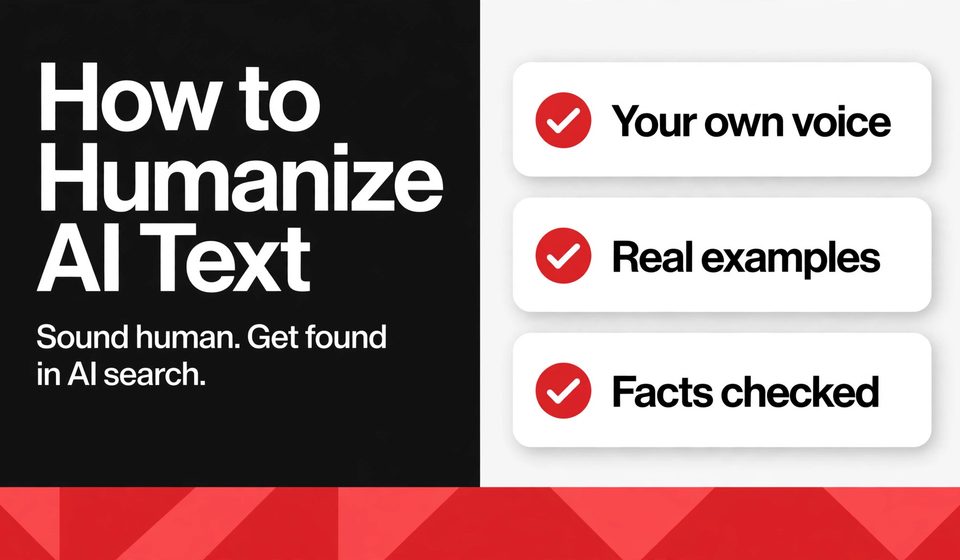

How to humanize AI text is simple to explain and takes real work to do well. You take an AI draft, rewrite it in your own voice, add a real example only you could give, vary the rhythm of your sentences, and check every fact before you publish. The result reads like a person wrote it, because a person did the thinking in it. AI search rewards that kind of text, because it is clear, specific, and useful enough to quote.
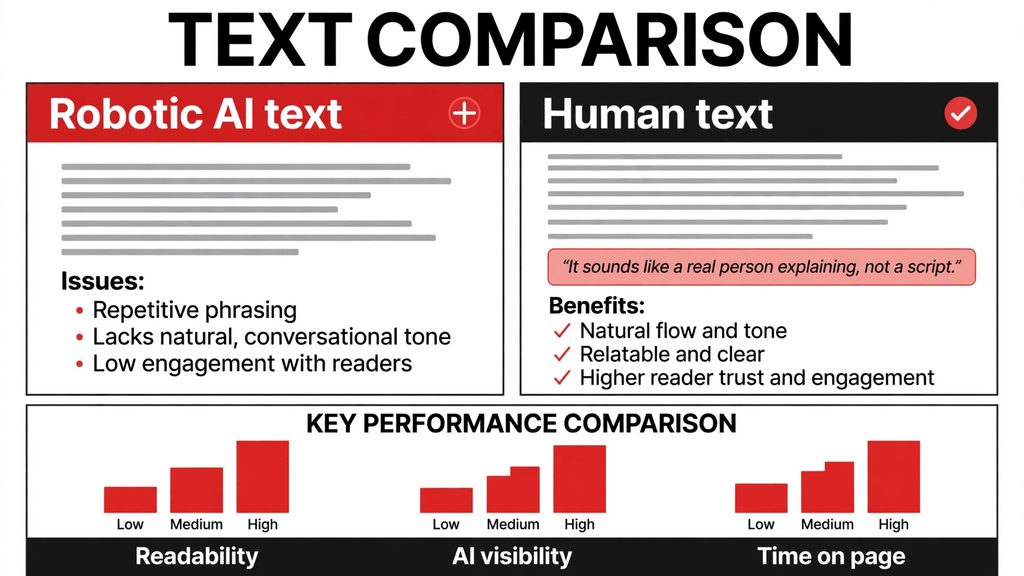
Most AI drafts fail in the same quiet way. They use the same safe phrases, the same balanced structure, and the same words you have read a hundred times. Readers sense it in seconds and leave. AI Overviews skip it too, because there is nothing in it worth citing. Your brand stays invisible, even when the words are technically correct.
The quick fix is a 15-minute humanizing pass. Read the draft out loud, rewrite every sentence that sounds like a template, add one real example, cut every filler phrase, and check the facts. Do that once, and the same draft sounds like you wrote it from scratch.
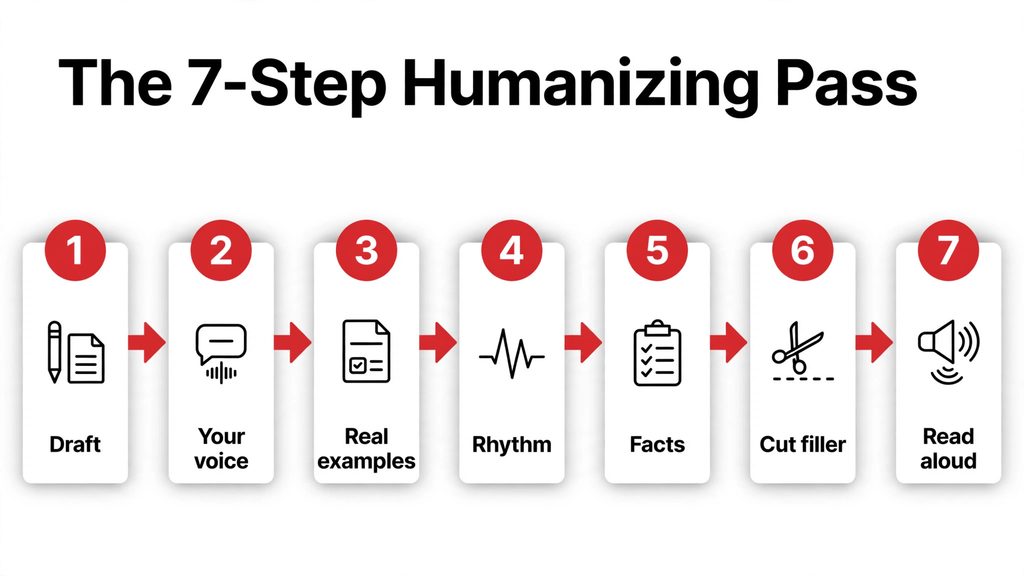
This guide shows you the full method in 7 steps. You will learn how to humanize AI text without losing accuracy, which tools help you track whether AI search picks up your pages, and how to answer the questions readers actually ask about AI search. Everything here follows the same rules Google publishes for people-first content.
Key Takeaways
- Humanizing means adding your voice, examples, and judgment, not swapping words with synonyms.
- AI search cites pages that are specific and helpful, so vague text stays invisible.
- The 7-step pass takes about 15 minutes per article.
- An AI visibility tracker shows whether AI answers mention your brand.
- Check facts by hand, because no tool can do that part for you.
How to Humanize AI Text: What It Actually Means
Humanizing AI text means turning a machine draft into writing that carries your judgment. It is not a paraphrasing trick, and it is not about beating a detector. A detector score tells you nothing about whether a reader trusts you. What matters is whether the text sounds like a person who knows the topic and cares about the reader.
Three signs show the work is done. First, the voice is yours, with words you would actually use in a conversation. Second, the text has specifics, such as a real example, a clear step, or a decision you made. Third, it takes a stance, so the reader knows what you recommend and what you would skip. If all three are missing, the text is still a draft, no matter how smooth it reads.
Why AI Search Rewards Human-Sounding Text
AI Overviews and AI Mode answer questions by drawing on pages they can quote. Google says there are no extra technical requirements to appear in these features, and no special markup is needed. A page must be indexed and eligible to show in Google Search with a snippet, and the content must be helpful. That is the full list, and it is good news for small sites, because the same rules apply to everyone.
The systems behind these features run several related searches at once to build an answer, which means they can surface a wider and more diverse set of pages than classic search. A short, specific page can be cited next to a big brand, as long as it answers the question better. Vague text never gets that chance, because there is nothing in it to quote.
“To be eligible to be shown as a supporting link in AI Overviews or AI Mode, a page must be indexed and eligible to be shown in Google Search with a snippet, fulfilling the Search technical requirements.” (Google Search Central, AI Features and Your Website)
This is why humanizing matters for search, not only for readers. A human-sounding page is usually a specific page, with real examples, clear steps, and a point of view. Those are the exact qualities an AI answer needs from a source. If you want the deeper background, read Google’s own guide to AI features, and the AI for SEO guide on Ai Blitzo for the practical side of the same rules.
Step 1: How to Humanize AI Text in Your Own Voice
Start by reading the AI draft out loud. Every sentence that feels stiff or strange when spoken needs a rewrite. AI drafts love long, balanced sentences with three clauses, and real people rarely talk that way. Break the long ones. Shorten the opening. Use the words you would use if a client asked you the same question over coffee.
A simple test helps. Cover the draft and explain the point in one sentence, out loud, without looking. Then write that sentence down. It will sound more like you than anything the AI produced, and it usually makes a better opening line too.
Keep the structure if it is sound, but change the wording until it passes the read-aloud test.
How to Humanize AI Text With Real Examples
Step 2 is where the text starts to sound like you, because examples are the one thing an AI draft cannot invent honestly. Add one real example per section. It can be a client story, a mistake you made, a tool you tried, or a result you saw in your own work. The example does not need to be dramatic. It needs to be specific.
Compare the two versions. A generic line says AI tools can save time for small teams. A human line says our team cut the time spent on first drafts by using one AI tool for outlines and keeping the final edit human. The second version is useful, because a reader can picture the workflow and copy it.
Examples also make your page worth citing. An AI answer can quote a clear example, but it cannot quote a vague claim. If you want to see how this works in practice, look at how different AI tools answer the same question in the Perplexity vs Claude comparison on Ai Blitzo, and notice which answers give examples and which only give lists.
Step 3: Vary Sentence Length and Rhythm
AI text has a rhythm problem. Most sentences are medium length, with the same shape, one after another. Readers do not notice it consciously, but they feel it as boredom. Real writing mixes short punches with longer, flowing sentences that build an idea step by step.
Try it on one paragraph. Make the first sentence short, let the second one run a little longer, then stop. The paragraph suddenly sounds like a person wrote it.
How to Humanize AI Text Without Losing Accuracy
Step 4 is the one you must never skip. AI drafts invent plausible details, such as dates, prices, names, and statistics, and they present them with total confidence. A human editor checks every fact against a real source before publishing. If you cannot verify a claim, cut it or soften it until it is true.
Google’s own guidance makes the same point from the other side. Its people-first content guidance asks whether the content provides original information, whether it has easily verified factual errors, and whether it shows real experience. A page that fails those checks is not helped by smooth wording. Accuracy is part of what makes text sound human, because humans admit limits and show their sources.
“People-first content means content that’s created primarily for people, and not to manipulate search engine rankings.” (Google Search Central, Creating Helpful, Reliable, People-First Content)
A practical rule works well here. For every number, date, or quote in the draft, ask where it came from. If the answer is only the AI, check it. Testing matters because AI output is non-deterministic, so the same prompt can give different text each time. This step takes the most time in the pass, and it is the step that protects your reputation.
Step 5: Cut Filler, Clichés, and Robot Phrases
AI drafts are full of filler. Phrases such as in today’s fast-paced world, delve into, furthermore, and it is important to note add nothing, and readers have learned to skip them. Cut them all. If a sentence still makes sense without the phrase, the phrase was filler.
Watch for empty intensifiers too. Words such as very, really, and truly make a claim weaker, not stronger. Replace them with a specific detail, such as what the tool does in one line.
After the cuts, the draft will be shorter. That is good. Shorter text with real content beats longer text with padding, for readers and for AI search alike.
How to Humanize AI Text for AI Overviews
Step 6 is about making your page easy to cite. AI Overviews quote pages that answer a question directly, so put the direct answer in the first two or three sentences of each section. Use headings that match the questions people actually ask, and keep the key facts in plain text, not only inside images.
Structure helps here. A clear heading, a short answer, then the detail, is the shape an AI answer can lift. This is also where classic SEO tools still matter. Use seo ranking tools to see where your pages stand in regular search, and rank tracking software to watch the queries that matter to you. If a page ranks in classic search, it is eligible to be cited in AI features too.
For larger sites, the same rules apply at a bigger scale, and that is where enterprise seo work comes in. The method does not change, only the number of pages. Each page still needs a direct answer, a human voice, and checked facts.
Step 7: Check Your Work With an AI Visibility Tracker
Step 7 is the check that tells you whether the work is paying off. An ai visibility tracker watches AI answers and shows whether your brand is mentioned, and for which questions. Run the check once a week, not once a day, because mentions change slowly.
When a tracker shows no mentions for a page, treat it as useful feedback. The page may be too vague, too thin, or missing the direct answer. Add a real example, answer the question in the first lines, and check again next week. Do not rewrite the whole page every time, because small, specific fixes work better.
Pair the tracker with rank tracking software, so you can see both sides at once. If classic rankings rise and AI mentions follow, the method is working. If neither moves, go back to the earlier steps.
How to Humanize AI Text at Scale: A 15-Minute Checklist
When you have many pages to fix, use the same pass as a checklist, and time it. Fifteen minutes per article is enough once the steps feel natural. Here is the full pass in one table, so you can copy it into your own workflow. If the pass feels repetitive, workflow automation tools can handle the repetitive parts for you.
| Step | What to do | Time |
|---|---|---|
| 1 | Read aloud, rewrite stiff sentences | 3 min |
| 2 | Add one real example per section | 3 min |
| 3 | Vary sentence length and rhythm | 2 min |
| 4 | Check every fact, date, and quote | 4 min |
| 5 | Cut filler phrases and empty words | 1 min |
| 6 | Put the direct answer first in each section | 1 min |
| 7 | Check mentions with an AI visibility tracker | 1 min, weekly |
For small business teams, the same checklist works as a shared standard. One person writes the draft, another runs the pass, and the tracker shows the results. If you want a wider view of how AI fits into everyday business work, the business automation guide on Ai Blitzo shows the same idea applied to whole workflows, not only to writing.
How to Humanize AI Text: FAQs
Q: How to rank in AI overviews?
Write pages that answer one question directly, with the answer in the first lines, clear headings, and facts in plain text. Google says there are no extra requirements beyond being indexed and eligible to show with a snippet, so the work is the same as good SEO. Specific, helpful pages get cited, and vague pages do not.
Q: How to track brand mentions in AI search?
Use an AI visibility tracker, which checks AI answers for your brand name and shows the questions that trigger a mention. Check once a week and note which pages get mentioned. When a page is never mentioned, add a direct answer and a real example, then check again.
Q: How to check keyword ranking in Google?
Use rank tracking software or seo ranking tools, enter the keyword and your page, and watch the position over time. Check the same keyword weekly, because daily moves are mostly noise. If a page climbs in classic search, it becomes eligible for AI features too.
Q: What is search optimization?
Search optimization, or SEO, is the work of making a page easy for search engines to find, understand, and trust. It covers clear headings, helpful content, internal links, fast loading, and accurate facts. For AI search, the same basics apply, with extra weight on direct answers and original detail.
How does SEO work?
Search engines crawl your pages, understand what they cover, and rank them against other pages for each query. They reward pages that are helpful, reliable, and written for people. AI features use the same systems, so a page that ranks well in classic search can also be cited in an AI answer.
The Bottom Line
Humanizing AI text is not a trick, and it is not a single tool. It is a short editing pass with a clear purpose: add your voice, add a real example, vary the rhythm, check the facts, and cut the filler. Do that, and your pages sound like a person wrote them, because a person did the thinking. AI search notices the difference, because it can only quote pages that say something specific. Start with one article, run the 15-minute pass, and check the results next week.
If you want to share your own guide with our readers, visit our Write for Us page to see how to contribute.

