
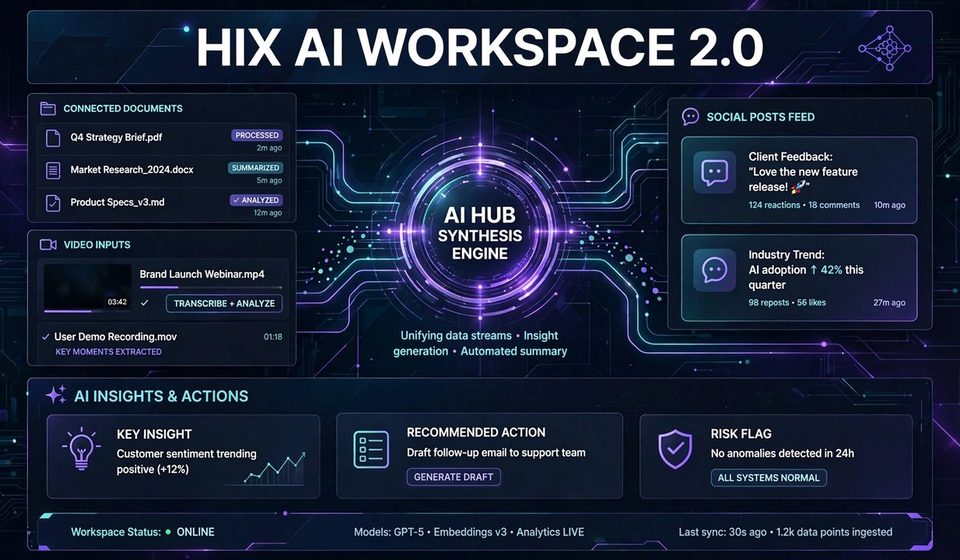

HIX AI Workspace 2.0 is the new AI business automation workspace from HIX AI for small teams. In fact, it launched on 27 October 2026, and it promises fewer tools and finished work. For example, brand kits, shared projects, app connectors and scheduled tasks sit in one place. However, the launch release names no price, and no independent tests exist yet. By the end of this blog, you will know what it does, what it costs, and whether it fits your team. In addition, you will learn the setup order that avoids the usual automation mess.
HIX AI Workspace 2.0 at a Glance
HIX AI announced Workspace 2.0 on 27 October 2026 in a launch release from Singapore. Moreover, the launch moves HIX AI from a general AI agent to a business automation workspace. Specifically, it targets individual professionals and small teams, not large enterprises. Meanwhile, Workspace 2.0 and AI Slides 2.0 are both available now through hix.ai. CEO Camille Sawyer leads the company, and her pitch is simple. AI agents can produce content, but content is not the same as finished work.
Overall, that distinction shapes the whole product. Instead of handing you a draft, the workspace uses your project files and instructions. It plugs into the systems you already use, and it delivers outputs that follow your brand guidelines. The goal is finished work, not more drafts. This agent-first approach is the same shift behind modern AI agents, and it explains why small teams are the target.
Small teams live with tool sprawl every day. One tool writes, another designs, a third schedules, and a fourth reports. Each tool holds a piece of context, and no tool sees the whole job. The HIX AI Workspace 2.0 features attack that exact pain. Therefore, it gathers the pieces into one shared space, so the work stops getting lost between apps.
What Workspace 2.0 Actually Does?
The HIX AI brand kit is the core idea. First, you upload brand standards with visual identity and tone-of-voice details. The workspace then applies them across presentations, images, videos and documents. Brand consistency becomes part of creation, not a final cleanup step. Every output stays editable, so you can change elements without generating the asset again.
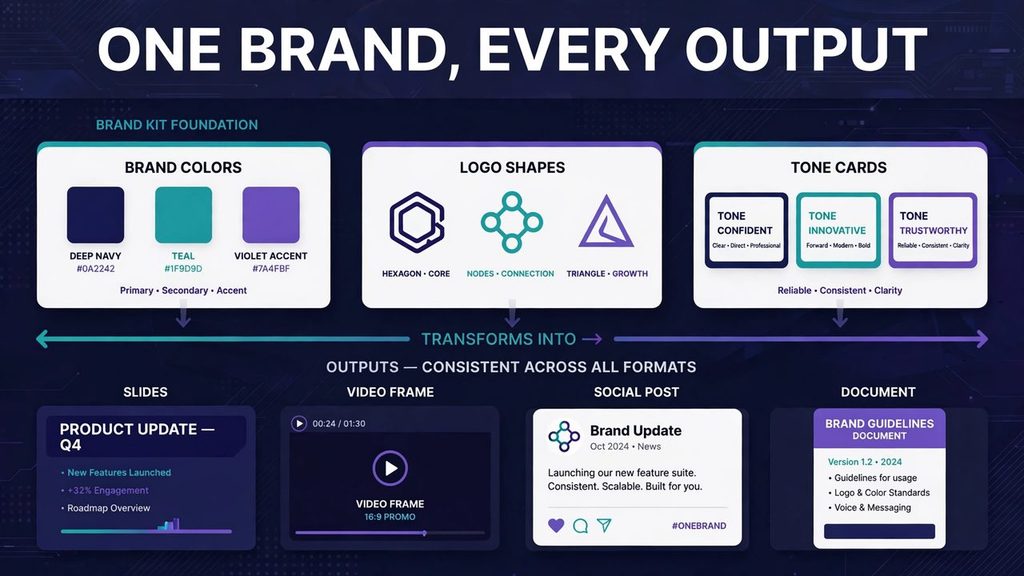
Meanwhile, the shared project space holds the rest together. In addition, instructions, memory, files, skills and outputs stay shared across tasks and collaborators. A team of up to five people works in one project that keeps its context over time. For example, a brief, a brand kit and past outputs stay in one place. That shared context is what makes repeated workflows reliable instead of random.
Small teams feel this first. For instance, a freelancer juggling five tools can cut the stack to one workspace. A five-person team stops losing context between chats, docs and drives. However, the five-person limit matters. Larger teams will outgrow a single shared project fast.
Editable outputs deserve a second look. In contrast, many AI tools lock you into a fresh generation for every fix. Here, you change elements directly, so a typo fix takes seconds, not a new run. Overall, that difference saves credits, time and patience. Over a month of posts and decks, it adds up fast.
The Connectors That Make It Automation
Connectors turn the workspace into real automation. First, HIX AI connects to Google and Microsoft calendars, email and cloud storage. It also connects to Zoom, Notion, Facebook, YouTube and Instagram. As a result, those links let it sync content between apps and run tasks like drafting reports and publishing social posts. This is business automation in the practical sense, not a demo.
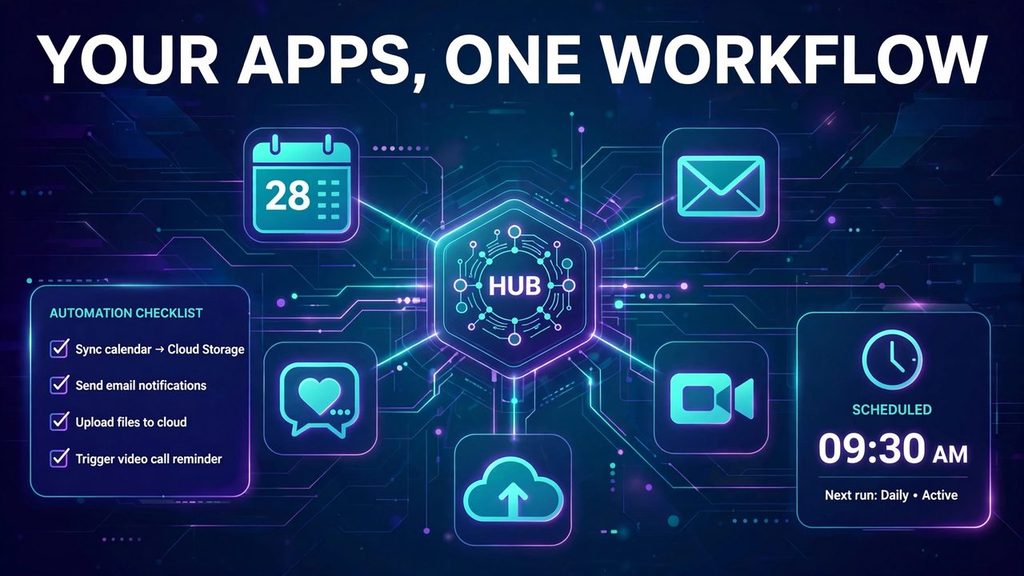
Scheduled tasks do the recurring work. For example, HIX AI can draft weekly reports from data in connected apps. It can follow up on meeting action items without a human reminder. It can publish to social channels on a schedule. Small business automation like this saves the hours that usually vanish into admin.
The loop closes with engagement data. Meanwhile, results from connected social accounts feed later content decisions. A post that performs well shapes the next brief. A format that flops gets dropped faster. In other words, the workspace learns from output, not just from prompts.
A Day With Workspace 2.0
First, morning starts with a report, not a blank page. Next, the workspace pulls data from connected apps and drafts the weekly report. You review it, fix two lines, and send it. No hunting through drives, no copying numbers by hand. That single habit can save a morning every week.
Afternoon belongs to publishing. For example, a social post goes out on schedule, with your brand kit already applied. A short video clip follows the same format rules. A poster for the same campaign matches the post. One brief becomes a full set, not a pile of mismatched files.
Evening closes the loop quietly. Meeting action items get follow-ups without a manual reminder. Engagement numbers from the day feed the next brief. The team leaves with tomorrow already half planned. Overall, that rhythm is the real product, more than any single feature.
AI Slides 2.0 and the Marketing Formats
HIX AI Slides 2.0 arrives in the same launch release. It supports four presentation workflows in one tool. First, custom templates let you upload layouts, fonts and color schemes. Convert turns PDFs, Word documents and images into editable slides. Optimize redesigns layout and styling while keeping content, images and data. Finally, Generate builds research-backed decks from a single prompt, with charts and illustrations matched to the content.
The image and video agents gained task-specific skills too. For example, their purpose-built skills cover video ads, short-form social clips and faceless videos. In addition, they cover brand stories, posters, social posts and product ads. E-commerce visuals and info-graphics round out the set. Each asset applies your brand kit, and video work follows the same logic as the Kling 4.0 video tools.
Trend research feeds the formats as well. Generated assets can use research on current platform trends. A short clip can match what works on a platform right now. A poster can follow the format that earns attention this month. That trend awareness is close to modern AI for SEO work, where timing and format decide reach.
In practice, sales teams, founders and teachers gain the most from Slides. A founder can turn a plan into a deck without design skills. A sales team can rebuild a tired deck in an afternoon. A teacher can turn notes into slides for a class. The common thread is story over formatting, which is exactly the CEO’s pitch.
What It Costs, Honestly?
HIX AI Workspace 2.0 pricing is the biggest gap in the launch story. However, the launch release names no price for Workspace 2.0 itself. That matters, because a tool without a price cannot be budgeted. The honest way to judge it is cost per finished task, the same lens used for MiniMax cost math. A full pricing breakdown from a third-party review gives the only public numbers so far.
Those third-party numbers come from September 2026, so treat them as reported, not confirmed. For example, a free tier offers 20 monthly credits for the agent workspace. Pro costs roughly $9.99 per month on annual billing. Max costs roughly $14.99 to $29.99 per month on annual billing. Plan tiers work like any subscription ladder, and a Plus versus Pro comparison shows the same pattern.
First, confirm the current price on hix.ai before you buy. Plans change often, and September numbers may already be old. Credits are the real budget control here. If credits expire monthly without rollover, unused value vanishes. Ask about rollover and overage before you connect a team.
Finally, compare the price with the tools it replaces. A separate scheduler, design tool and report tool often cost more combined. One workspace can still lose if it does half the job well. The test is simple: count finished outputs per month, not features on a page.
The Cautions Before You Connect Your Apps
Everything above comes from the company’s own launch release. Moreover, no independent tests of Workspace 2.0 exist yet in the sources reviewed. Vendor announcements describe the best case, not the average day. OpenAI’s containment promises faced the same scrutiny in the offline training story. Independent verification is the standard, not vendor charts.
App permissions deserve equal care. Connectors read calendars, email, cloud files and social accounts. However, that access is powerful, and it is also sensitive. Approval checkpoints matter as much as price, a point the Claude Duet story made clear. Therefore, start with read-only access where possible, and expand only when a task needs it.
Billing complaints need a mention too. An independent review notes Trust pilot complaints about misleading billing and difficult cancellations. Those complaints concern HIX AI generally, not Workspace 2.0 specifically. Still, they are worth knowing before you add payment details. Use a monthly plan first, and test cancellation before you commit a team.
Test week one like a trial, not a honeymoon. First, connect one app, run one scheduled task, and publish one branded set. Check every output before it goes out. If the workspace earns trust in week one, expand it. If it does not, you learned cheaply.
Who Should Use It, and Who Should Skip It?
The clearest fit is small team automation, for freelancers and teams of up to five. You do not need an automation engineer to run it. In addition, the workspace replaces several single-purpose tools at once. If your week is full of reports, posts and decks, this is your lane.
Larger operations should look elsewhere. For example, teams above five people will hit the project limit fast. Deep custom automation needs a dedicated workflow builder instead. Enterprises with strict data rules need deeper controls. A general workspace cannot replace a purpose-built system.
Tool comparisons help here too. A visual automation tool suits teams that build their own logic. The n8n versus Activepieces comparison shows how those tools differ. In contrast, HIX AI suits teams that want finished outputs, not logic diagrams. Choose the tool that matches how your team actually works.
Marketers should weigh one more factor. If search traffic drives your business, automation must serve content quality. The right SEO tools still decide whether automated content ranks. However, HIX AI can produce the assets, but strategy stays human. Automate production, not judgment.
Workspace 2.0 vs Hiring More Hands
A hire and a workspace solve different problems. A hire brings judgment, taste and client sense. In contrast, a workspace brings speed, consistency and round-the-clock execution. Small teams often need both, but budgets force a choice. Software usually wins on routine volume, while people win on judgment calls.
That trade-off decides the purchase. Therefore, if your bottleneck is volume, a workspace clears it fast. If your bottleneck is strategy, no tool fixes it. Be honest about which bottleneck you face. Buy the workspace for volume, and keep humans on decisions.
How to Start Using It?
Start with the brand kit, not the connectors. Upload visual identity and tone details first, so outputs match from day one. Next, connect a single app, like your calendar or cloud drive. Start with one business automation service, such as a weekly report, before you automate everything.
Measure the first month honestly. First, count hours saved, outputs shipped and errors caught. Compare that with the subscription cost and credit use. A simple IT process automation plan keeps the test honest. If the numbers work, expand to social publishing and reports.
Check the price on hix.ai before you pay. Confirm credit rollover, overage rules and cancellation steps. Finally, test with a monthly plan, not an annual lock-in. In short, prove value first, then commit.
FAQs
What is HIX AI Workspace 2.0?
HIX AI Workspace 2.0 is a business automation workspace for small teams. It launched on 27 October 2026. It combines brand kits, shared projects, app connectors and scheduled tasks in one place.
How much does HIX AI Workspace 2.0 cost?
The launch release names no Workspace 2.0 price. For example, third-party figures from September 2026 list a free tier with 20 credits. Pro costs roughly $9.99 per month on annual billing. Max costs roughly $14.99 to $29.99 per month. Confirm current prices on hix.ai before you buy.
Which apps does HIX AI Workspace 2.0 connect?
It connects Google and Microsoft calendars, email and cloud storage. It also connects Zoom, Notion, Facebook, YouTube and Instagram. Those connectors sync content and run tasks like reports and social posts.
Is HIX AI Workspace 2.0 good for teams larger than five?
No, a single project supports teams of up to five people. Larger teams will hit that limit fast. They should consider a dedicated workflow tool or an enterprise platform instead.
Should I trust HIX AI Workspace 2.0 with my business accounts?
Start with limited access and approval checkpoints. Connectors read calendars, email, files and social accounts. Independent reviews note billing complaints about HIX AI generally. Therefore, test on a monthly plan before you commit a team.
Conclusion
HIX AI Workspace 2.0 solves a real small-team problem. For example, it cuts tool sprawl, keeps brand consistent and schedules recurring work. However, the missing launch price and absent independent tests demand caution. The product earns a trial, not a blind annual commitment. For small teams drowning in drafts, that trial is worth one month.
Try it on one workflow this week. First, upload your brand kit, connect one app and schedule one report. Measure hours saved and outputs shipped. If the numbers work, expand. If they do not, you learned cheaply.