
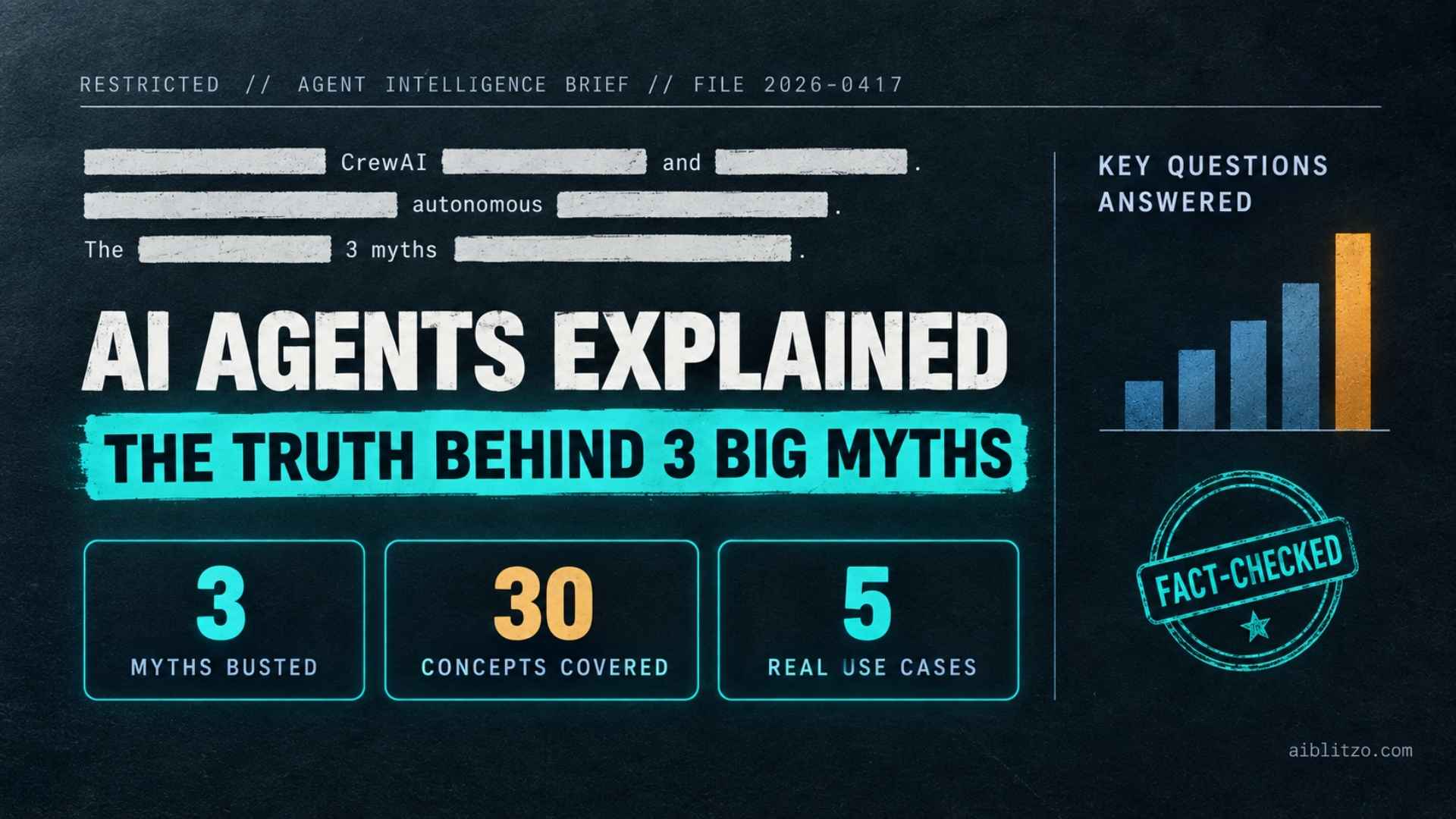
AI agents get explained two bad ways. Either you drown in jargon, or someone oversells them as robots that run your business alone. Neither is true.
This guide gives you the real picture. You’ll learn what an AI agent is, how it differs from a chatbot, what it costs, and how to try one today, no coding needed. Three myths cause most of the confusion, and we’ll clear each one as we go.
Voicemail Problems: The Ultimate AI-Powered Guide to Fix Them
What Is an AI Agent?
An AI agent is software that decides what to do next, then does it. You don’t click through every step yourself.
A chatbot works differently. It waits for your message and gives you one reply. An agent, on the other hand, takes a goal and breaks it into steps. It then works through those steps alone, checking your calendar, drafting a follow-up email, and sending it, all from one instruction.
Why does this matter? Most business tasks aren’t single questions. They’re chains of small decisions. A large language model (LLM) gives the agent its reasoning power: it understands what you asked, figures out what needs to happen next, and adjusts when things don’t go as planned.
That reasoning ability is what people mean by agentic AI. It’s not a chatbot with a new name, but a system built to act, not just answer.
Chances are, you’ve used a few already. Customer support bots resolve returns without a human. Coding assistants like GitHub Copilot’s agent mode write and test code across a file. Research agents pull data from ten sources and summarize it in one pass. When several agents work together on one task, that’s a multi-agent system: one agent might research, while another writes up the findings.
So what can you actually get from one? Tool use is the real answer. An agent that calls an API, searches a database, or updates a spreadsheet isn’t just talking about your task. It’s doing it.
That’s also where the time savings come from. A task that took 40 minutes across five tabs becomes one instruction, run once, unattended.
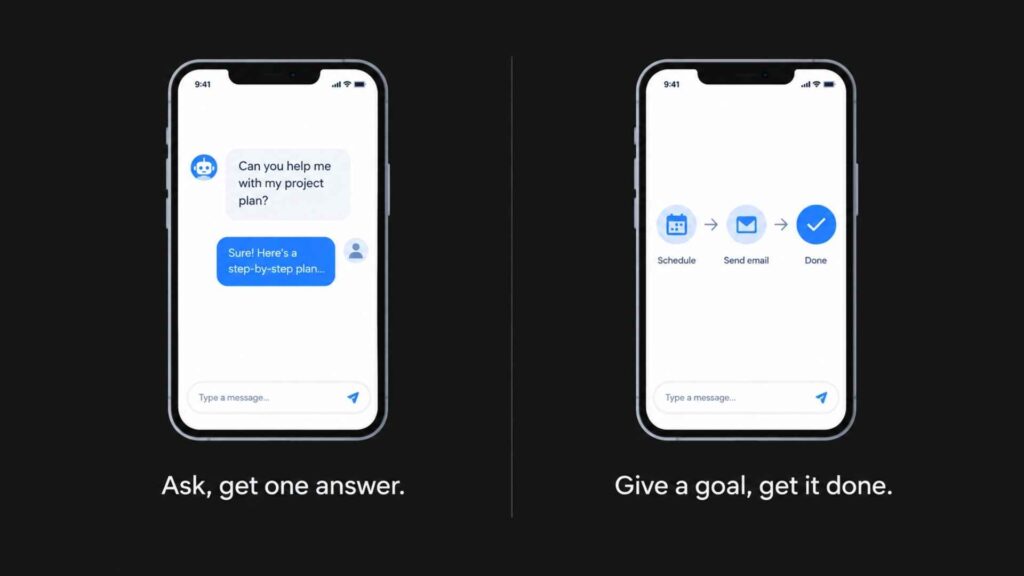
Myth 1: An AI Agent Is Just a Chatbot With a New Name
This myth causes most of the confusion in search. People use “chatbot,” “AI assistant,” “agentic AI,” and “RPA” as if they mean the same thing, but they don’t.
| Type | Waits for input? | Follows fixed steps? | Can call tools on its own? |
|---|---|---|---|
| Chatbot | Yes, one message at a time | Mostly scripted replies | Rarely |
| Virtual assistant | Yes, per command | Mixed, some tool access | Limited, predefined |
| RPA (robotic process automation) | No, triggered by a rule | Yes, rigid and rule-based | No reasoning, just execution |
| AI agent | Given a goal, then works alone | No, adapts as it goes | Yes, decides which tool and when |
RPA is a rule-based system. It’s fast and cheap, but it breaks the moment a process changes. An AI agent handles the same task differently: it adjusts when a step fails or the input looks unexpected. That flexibility is the whole point of agentic AI, and it’s also why agents cost more to run than a simple bot.
How AI Agents Work?
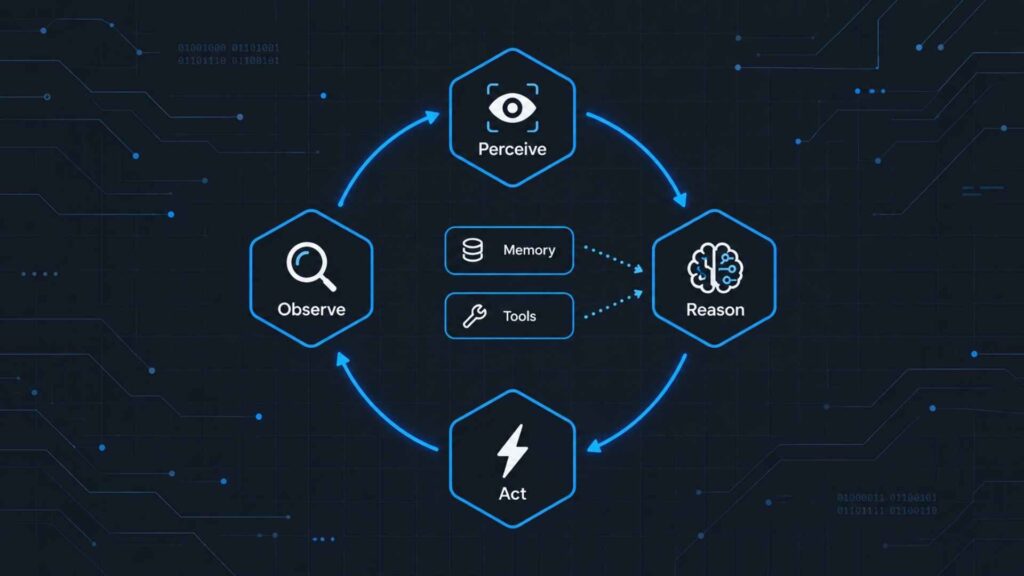
Every agent runs on some version of the same loop, regardless of what it’s built for.
The Perceive-Reason-Act Loop
First, the agent perceives its environment, whether that’s a support ticket, a spreadsheet, or an inbox. Next, it reasons about what to do, using its reasoning engine. Then it acts, either by calling a tool or producing an output. Finally, it observes the result and loops again.
This feedback loop matters because it’s what lets an agent recover from a bad first attempt, instead of failing silently.
Memory and Context
Agents use two kinds of memory. Short-term memory holds the current task inside the context window, which is everything the model can “see” in one pass. Long-term memory, meanwhile, persists across sessions, so the agent remembers your preferences instead of starting cold every time.
Tool Use and Function Calling
Function calling is what lets an agent trigger a real action: search the web, query a database, or send an email. Without tool use, an LLM can only describe what it would do. With it, the agent actually completes the task, through an API integration.
How Agents Connect to Tools and Data (RAG and MCP)?
Two technical pieces make this connection reliable.
The first is retrieval-augmented generation (RAG). It lets an agent pull current, specific information from your documents or a database, instead of relying only on what it was trained on. As a result, this cuts down on hallucination.
The second is the Model Context Protocol (MCP), an open standard that helps AI assistants connect to systems where data lives, like content repositories and business tools. Before MCP, every agent needed a custom-built connector for every tool. Now, MCP gives agents one common way to discover and use tools, which is why it’s becoming the plumbing most new agent frameworks run on. Read more about MCP on Anthropic’s site.
Types of AI Agents
Not every agent works the same way underneath.
- Reactive agents respond to the current input only, with no memory of past interactions.
- Deliberative agents, by contrast, plan several steps ahead, weighing options against a goal.
- Learning agents improve over time using reinforcement learning, adjusting based on what worked before.
- Multi-agent systems split a task across specialized agents that hand off work through task orchestration: one researches, another writes, a third checks the output.
In practice, most tools branded as “AI agents” mix deliberative and multi-agent design, since a single agent rarely has every skill a complex task needs.
What AI Agents Can Actually Do Right Now?
Skip the hype. Here’s what’s actually shipping.
- Customer support automation: resolves refunds, tracks orders, escalates only what needs a human.
- Coding agents: write, test, and fix code across multiple files in one run.
- Lead generation: research a prospect, draft a personalized outreach message, log it to a CRM.
- Workflow automation: read an incoming invoice, check it against a purchase order, flag mismatches.
- Scheduling and inbox management: read meeting requests, check availability, send confirmations.
Notice the pattern: each task is a chain of small decisions, not one question with one answer. That’s exactly what agentic AI is built for.
The Tools Behind AI Agents
Want to build one instead of just using one? Here’s what’s available today.
The reasoning layer usually comes from a large language model, such as OpenAI’s GPT models or Claude, accessed through ChatGPT-style interfaces or directly via API. On top of that sits an agent framework, which handles the loop, the memory, and the tool calls.
For custom builds, LangChain and LangGraph are the most widely adopted. For multi-agent orchestration specifically, CrewAI and Microsoft’s AutoGen lead the field. AutoGPT, meanwhile, was an early and mostly experimental attempt at a fully autonomous agent, and it’s still a useful reference point for how far the space has moved.
None of this requires you to build natural language processing (NLP) models from scratch. Instead, you’re assembling existing pieces, not inventing new ones.
What AI Agents Cost (and Why the Answer Isn’t Simple) ?
Most articles skip this question. Here’s the honest breakdown.
API costs. You pay per token for the underlying model. A simple agent running a few tasks a day might cost $5 to $50 a month, while a high-volume support agent handling thousands of tickets can run into hundreds or low thousands monthly.
No-code/low-code platforms. Tools like Zapier’s AI agents or Make let you build visually. These typically charge $20 to $100+ a month, on top of API usage, depending on volume.
Custom-built agents. Hiring a developer to build one on LangChain or CrewAI means a project cost, plus ongoing hosting and API fees that scale with how many tools the agent needs to call.
Either way, the honest takeaway is this: cost scales with how many decisions the agent makes and how many tools it touches, not with how smart it sounds in a demo.
The Risks and Limitations Nobody Talks About
Myth 2 says an AI agent runs completely unsupervised. In practice, that’s not how it works. Every reliable deployment keeps a human-in-the-loop checkpoint somewhere, usually before an irreversible action, like sending money or deleting data.
Here are three real risks to plan for:
- Hallucination. An agent can confidently take the wrong action based on a wrong assumption. Because it acts rather than just answers, a hallucination can have a real consequence.
- Data privacy. An agent with tool access often needs credentials to your email, calendar, or CRM. So, scope those permissions narrowly and audit what the agent can actually reach.
- Compounding errors. In a multi-agent system, one agent’s mistake feeds into the next agent’s reasoning, meaning a small error early on can grow by the final step.
Still, none of this means agents are unsafe. It simply means they need the same review discipline you’d give a new employee, not blind trust.
How to Start Using an AI Agent Today (No Coding Required)
Myth 3 says you need to be a developer to use one. In reality, you don’t, not for most practical use cases.
- Start with a no-code/low-code platform. Zapier’s agent tools or Make let you connect an LLM to your existing apps, like Gmail, Sheets, or Slack, through a visual builder.
- Pick one repetitive task, not your whole workflow. Sorting inbox leads or drafting first-pass replies are good starting points, since a mistake there costs little.
- Set the guardrails first. Decide what the agent can do without approval, and what needs your sign-off.
- Review its output daily for the first week. After that, scalability only matters once you trust its judgment on a narrow task.
Once one task runs reliably, expand from there. Otherwise, most people who try to automate everything on day one give up within a month.
FAQ’s
Is agentic AI the same as an AI agent?
No. Agentic AI is the broader concept: systems designed to act autonomously toward a goal. An AI agent, meanwhile, is one specific implementation of that concept.
Can AI agents work without human input?
Technically, yes, for narrow tasks. In practice, though, most production agents keep a human-in-the-loop checkpoint for anything high-stakes or irreversible.
What’s the difference between AI agents and RPA?
RPA follows fixed, pre-programmed steps, so it breaks when the process changes. An agent, by contrast, reasons about the task and adapts when something looks different than expected.
Are AI agents safe to use for business?
Yes, as long as you use scoped permissions, logged actions, and a human checkpoint before anything irreversible. In other words, treat agent access the same way you’d treat a new hire’s system permissions.
According to one industry glossary, an AI agent is an autonomous software system that uses a large language model as its reasoning engine to perceive its environment, plan actions, call tools, and complete tasks with minimal human intervention. That’s different from a simple assistant, which only responds to single queries. See IBM’s full breakdown of how AI agents work.
What Changes Once You Understand This ?
An AI agent isn’t a smarter chatbot, and it isn’t a robot running your business alone either. Instead, it’s a system that turns a goal into a finished task, by reasoning, calling tools, and checking its own work along the way.
Once you see that loop, every “AI agent” product gets easier to judge. Does it actually reason and act, or is it a chatbot wearing new branding?
So start with one narrow task on a no-code platform this week. Judge it on whether it finishes that task correctly, not on how impressive the demo looked.
Still Have Questions?
Weighing whether an AI agent fits your workflow, or want a second opinion before you commit to a platform? Either way, get in touch and we’ll walk through it together.

4 Comments
Pingback: Business Automation AI: 7 Workflows That Actually Pay Off
Pingback: n8n vs Activepieces Complete Guide to Picking the Right Tool
Pingback: AI and Automation for Small Business: 7 Quick Wins
Pingback: Moonshot AI: 3 Mistakes New Users Make with Kimi