
Most people open Google Gemini, try a few prompts, and hit a wall they never saw coming. Free access feels generous until the context window shrinks, image generation stops, or Deep Research refuses another run. This guide shows you the exact free tier limits in 2026, how to work inside them, and the clear signs that upgrading actually pays off.
You will leave knowing what you can do for free today, how to start in under five minutes, and when Gemini Advanced stops being optional.
What Is Google Gemini and Why It Matters Right Now
Google Gemini is Google’s multimodal AI system a large language model family built by Google DeepMind that processes text, images, audio, and video in one conversation. It replaced the earlier Bard chatbot and is the product most people mean when they search “what is gemini” or “gemini ai.”
Sundar Pichai and Demis Hassabis positioned it as the company’s core AI layer. Unlike a pure text chatbot, Google Gemini AI grounds many of its answers in real-time Google Search results and can cite the sources it used. That response grounding reduces the pure hallucination rate common in earlier models. For the official background see Google’s official Gemini overview.
A concrete example: upload a photo of a handwritten recipe, ask Gemini to convert it into a structured shopping list, then request a short video script for the dish. The same chat handles the image, the text rewrite, and the creative output without switching tools.
The free version already gives access to strong Flash and limited Pro models. Paid tiers unlock higher usage, longer context windows, and advanced features, but the base product is the same family. For anyone in the United States, United Kingdom, or Japan who already lives inside Google accounts, this is the AI that sits closest to their existing tools.
Is Google Gemini Free? Exact Free vs Paid Limits in 2026
Yes, Google Gemini is free to use. The free tier runs on Gemini Flash with limited daily access to stronger models such as Gemini 3.5 Pro and Gemini 3 Pro.
Here are the seven limits that actually affect daily work:
- Context window sits at roughly 32,000 tokens on free (about 50 pages of text).
- File uploads are capped in size and number per chat.
- Image generation (including the nano banana model) has daily quotas.
- Deep Research mode is restricted to a handful of runs.
- Usage quotas reset on a compute-based schedule rather than pure message count.
- Token limits on longer reasoning tasks push you back to the lighter model.
- Video generation with Veo and advanced features such as Gemini Spark stay behind the paywall.
Free vs Paid Quick Comparison
| Feature | Free Tier | Gemini Advanced / Google AI Pro |
|---|---|---|
| Default model | Gemini Flash | Gemini 3.0-class / Gemini 3.5 Pro |
| Context window | ~32,000 tokens (~50 pages) | Up to 1 million tokens |
| Image generation | Daily quotas (incl. nano banana) | Unrestricted |
| Deep Research | Limited runs | Full access |
| File upload limits | Restricted size & number | Higher limits |
| Video generation (Veo) | Not available | Available |
| Gemini Spark | Not available | Available on higher plans |
| Usage quotas | Compute-based, resets periodically | Significantly higher |
Google One subscription tiers unlock Gemini Advanced. Free trial options appear periodically, but most users move straight to the paid plan once the free limits start interrupting work. Current limit details are also summarised on the Wikipedia Gemini page.
How to Start Using Google Gemini in Under 5 Minutes
Open gemini.google.com, sign in with any Google account, and type. That is the entire web setup.
Web (gemini.google.com)
Choose the model at the top of the chat. Switch between Flash for speed and limited Pro access for harder tasks. Temporary chats keep the conversation out of your history.
Android (as assistant replacement)
On most recent Android phones the gemini app replaces or runs alongside the old Google Assistant. Long-press the power button or say the wake phrase. Japanese language support is solid for everyday queries.
iPhone / iOS
Download the Google app or the dedicated gemini app. The experience is nearly identical to Android once you are signed in.
Model switching takes one tap. You do not need a special account beyond a regular Google login.
Free vs Paid Features Side-by-Side (What Changes When You Upgrade)
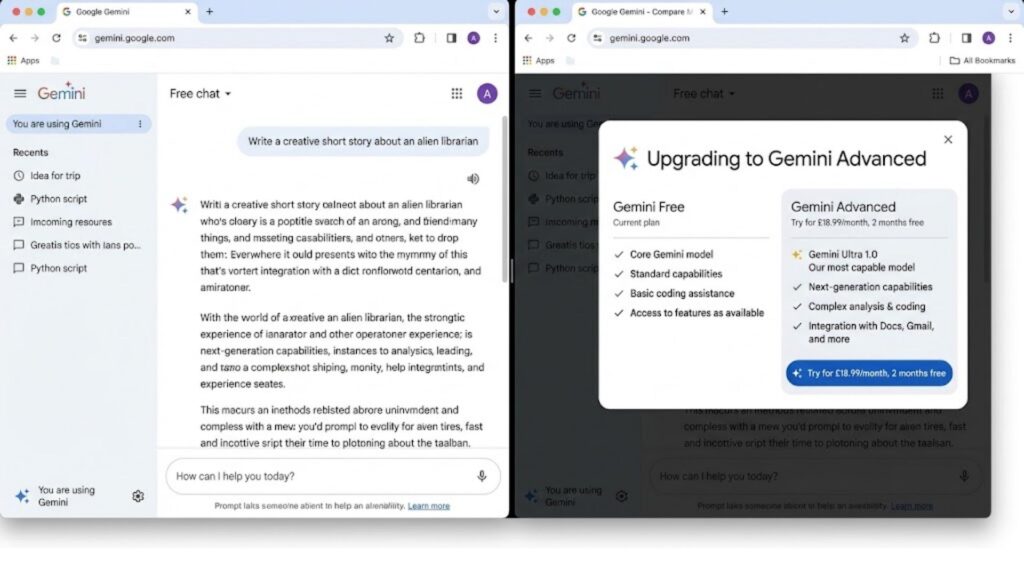
The free default is Gemini Flash. Moving to Gemini Advanced (and the higher Google AI Pro tiers) unlocks Gemini 3.0-class models, full Deep Research mode, larger context windows, higher file upload limits, unrestricted image generation, and video generation through Veo.
Only the higher paid plans include Gemini Spark. The real difference is fewer interruptions, support for longer documents, and access to features that simply do not exist on free.
Core Capabilities That Actually Work
Google Gemini handles multimodal AI tasks well when you stay inside the free limits.
Text, reasoning, and research
Real-time web search plus citation sources make it reliable for current information. Long-document analysis works up to the free context window size.
Image understanding and generation (Imagen)
The gemini ai photo generator and nano banana model produce usable images on free, though daily quotas apply. Upload a photo and ask for edits or descriptions. Many users search for a ready gemini ai photo prompt copy paste example; here is one that works.
File uploads and long documents
PDFs and text files work, but size and count limits appear quickly. Split large files if you stay free.
Voice / Live mode
Voice mode is responsive on both Android and web. It is one of the stronger free features.
Gemini Omni-style multimodal handling (text + image + audio in one thread) is already present even on free.
Google Workspace Integration – Docs, Gmail, and More
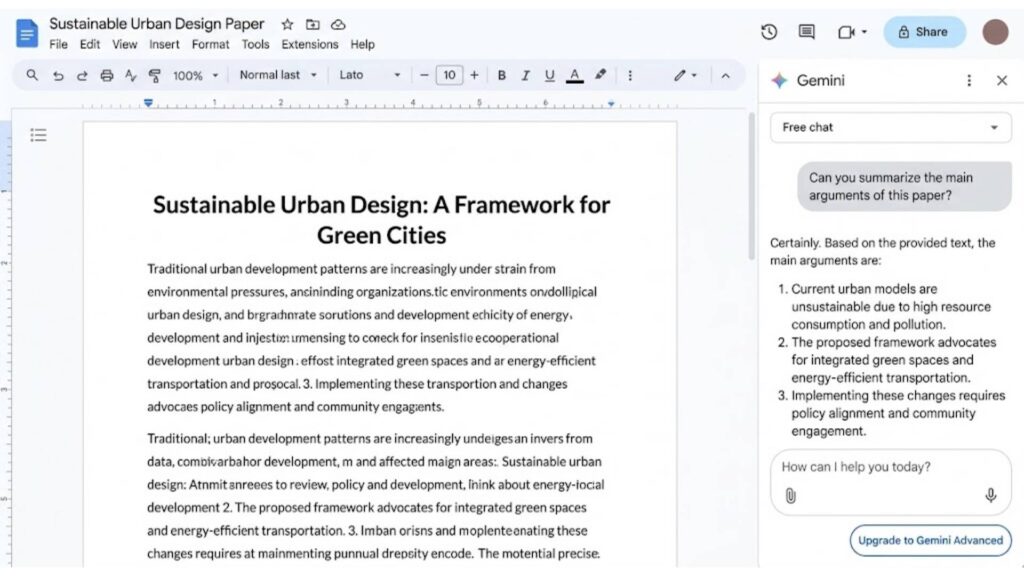
Gemini works inside Google Docs and Gmail when you enable the Workspace extensions. In Docs it rewrites, summarizes, or expands selected text. In Gmail it drafts replies and produces Gmail summarization of long threads.
The integration is native for Google accounts. No extra plugins are required. This is the practical advantage over most other chat bots if you already live in Google Workspace.
How to Write Prompts That Get Better Results
Prompt engineering still decides whether Google Gemini gives average or useful answers. Give Gemini a role, the exact output format, and any constraints.
A strong gemini ai photo prompt looks like this (copy-paste ready):
“Generate a clean product photo of a ceramic coffee mug on a wooden table, soft natural light from the left, shallow depth of field, no text, 4:5 ratio.”
Student use cases and coding assistance improve when you add the audience and the desired length. For more student-focused AI workflows see Claude for students. Custom Gems let you save a reusable system prompt so you do not retype the same instructions.
Google Gemini vs ChatGPT – Practical Differences in 2026
Google Gemini wins on real-time web search, native Google Docs integration, and longer free context on some tasks. ChatGPT still leads on pure creative writing and third-party plugins for many users.
For coding assistance the gap is small. For research that needs current sources and citations, Gemini’s response grounding is an advantage. Context window size on paid tiers is comparable. Track how both models perform over time with a ChatGPT rank tracking tool.
Test both on your actual work for a week rather than relying on benchmark tables.
Advanced Tools: Deep Research, Gems, and AI Studio
Deep Research mode runs multi-step web research and returns a structured report with sources. Free users get limited runs; paid users get more.
Custom Gems are saved personalities or workflows. Create one for “weekly meeting notes” or “code reviewer” and reuse it.
Google AI Studio is the playground for developers. It offers API access and the AI Studio playground for testing prompts and models before you ship anything. Developers comparing model speed may also want to look at GLM-5.3 Flash.
Limits, Privacy, and Common Problems
Free tier limits and usage quotas are the most common friction points. File upload limits appear when you try to analyze multiple PDFs in one chat.
Temporary chats solve the privacy concern of long-term memory. Google Gemini does remember previous chats unless you start a temporary one or clear history.
On Android the assistant replacement can feel aggressive. You can switch back to the classic Assistant in settings if needed.
Should You Upgrade? Clear Decision Guide
Upgrade when any of these three signs appear:
- You hit the free context window or image quota more than twice a week.
- You need Deep Research or Veo video generation for real work.
- You already pay for Google One storage and the AI upgrade is incremental.
Subscription tiers start at the Google AI Pro level that includes Gemini Advanced. Free trial options surface occasionally, but most people decide based on the limits above rather than a trial.
If your daily work stays light, the free plan remains sufficient. If the interruptions cost you more time than the monthly fee, the upgrade is the rational move.
Ready to put Google Gemini to work or decide whether Advanced is right for your team? Visit the aiblitzo.com contact page and tell us what you are trying to automate.
Frequently Asked Questions
Is Google Gemini free?
Yes. The free tier gives you Gemini Flash plus limited daily access to stronger models such as Gemini 3.5 Pro. You only pay when you need higher usage quotas, larger context windows, or features like full Deep Research and Veo video generation.
What are the main Google Gemini free tier limits?
The seven practical limits are: 32k-token context window, restricted file uploads, daily image-generation quotas (including nano banana), limited Deep Research runs, compute-based usage quotas, token limits that force you back to Flash, and no access to Veo or Gemini Spark.
How do I use Google Gemini on Android?
Download the gemini app or use the built-in assistant on recent Android phones. Long-press the power button or say the wake phrase. It can fully replace the old Google Assistant.
Does Google Gemini work with Google Docs and Gmail?
Yes. Enable the Workspace extensions and Gemini appears as a side panel. It can rewrite text in Docs and produce Gmail summarization of long threads.
Can Google Gemini generate images and video for free?
Image generation (gemini ai photo generator) works on the free plan with daily quotas. Video generation with Veo is paid-only.
Does Google Gemini remember previous chats?
Yes, unless you start a temporary chat or clear your history. Temporary chats keep conversations out of long-term memory.
How do I write better prompts for Google Gemini?
Prompt engineering still decides the quality of the output. Give a clear role, the exact format you want, and any constraints. For images, a ready gemini ai photo prompt copy paste example is:
“Generate a clean product photo of a ceramic coffee mug on a wooden table, soft natural light from the left, shallow depth of field, no text, 4:5 ratio.”
Is Google Gemini better than ChatGPT for coding or research?
For research that needs current sources and citations, Gemini’s real-time web search and response grounding often win. For pure creative coding and third-party tools the gap is small—test both on your own work.
What is Google Gemini Advanced and when should I upgrade?
Gemini Advanced (part of Google One / Google AI Pro) unlocks higher models (Gemini 3.0 class), full Deep Research, larger context windows, and video generation. Upgrade when free limits interrupt your work more than twice a week.

4 Comments
Pingback: Business Automation AI: 7 Workflows That Actually Pay Off
Pingback: AI Detector Accuracy: 7 Harsh Truths in 2026
Pingback: Moonshot AI: 3 Mistakes New Users Make with Kimi
Pingback: Perplexity vs Claude: The Honest Truth on Which AI Wins