
Quick answer: An AI agent platform lets you build, run, and manage AI agents that complete tasks on their own. The best AI agent platform for you depends on your team, your tools, and your budget. No-code builders suit small teams, managed suites suit large companies, and developer frameworks suit engineers.
Picking the wrong AI agent platform wastes money and time. This guide compares the leading options, with real prices checked on 29 November 2026, free tiers for testing, and a simple checklist. As a result, you can shortlist two or three platforms today and test one this week.
What Is an AI Agent Platform?
An AI agent platform is a tool that builds, runs, and manages AI agents. An agent differs from a chatbot because it does not only answer questions. It plans steps, calls tools, checks results, and finishes a task with little human help. For example, it can read support tickets, draft replies, update your CRM, and flag tricky cases for a human.
Most platforms share the same core parts: a builder where you describe the agent in plain language or code, connectors to your apps and files, a runner that works on a schedule or when an event happens, and logs of every action.
The market grew fast in 2026 as agents moved from demos to daily work. Microsoft rebuilt Copilot Studio in August 2026, and Google folded its agent tools into the Gemini Enterprise Agent Platform. As a result, buyers face dozens of similar options.
The Three Types of AI Agent Platforms
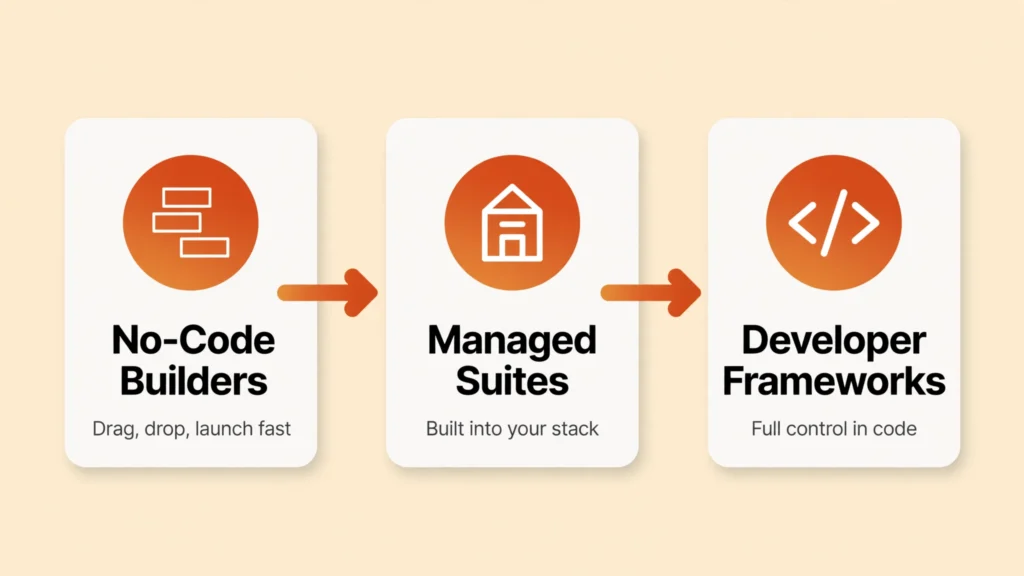
Every AI agent platform falls into one of three groups, and the group decides who builds the agent, where it runs, and how it is billed. Therefore, pick a group first when you choose an AI agent platform.
No-Code Builders
No-code builders let anyone create an agent by describing it in plain language and connecting apps with clicks. Zapier Agents, Make AI Agents, Lindy, and Botpress sit in this group. They suit small teams that want a working agent this week. Their main limit is control, since complex logic can feel cramped.
Managed Suites
Managed suites live inside a platform you already use: Copilot Studio in Microsoft 365, Agentforce in Salesforce, and Vertex AI Agent Builder in Google Cloud. They suit companies that store data in one ecosystem. Because the agent reaches your files, email, and CRM natively, setup is faster and security rules carry over. On the other hand, they work best when you stay inside that ecosystem.
Developer Frameworks
Developer frameworks give engineers code-level control over how an agent thinks, retries, and hands off work. LangGraph, CrewAI, and the Microsoft Agent Framework lead this group. They suit teams that build custom agents for production. The trade-off is effort: you manage hosting, monitoring, and model costs. However, the frameworks are free and open source, so your only bill is hosting and model tokens, which often costs less than hiring ai agent development services.
Best AI Agent Platforms Compared for 2026
The table compares eight leading AI agent platforms on fit, starting price, and free options. Prices were checked on 29 November 2026.
| Platform | Best For | Starting Price | Free Option |
|---|---|---|---|
| Zapier Agents | Small teams automating SaaS apps | Free; Pro add-on about $33/month | 400 activities/month |
| Make AI Agents | Visual builders and multi-step flows | Core from $9/month | 1,000 credits/month |
| n8n | Technical teams, self-hosting | Cloud from 20 euros/month | Self-hosted Community Edition |
| Microsoft Copilot Studio | Microsoft 365 organizations | $200/month per 25,000 credits | Free trial |
| Salesforce Agentforce | Sales and service teams on Salesforce | $2 per conversation | Builder included in Foundations |
| Google Vertex AI Agent Builder | Google Cloud teams | Pay as you go, $0.0864 per vCPU-hour | 50 vCPU-hours/month free |
| LangGraph and LangSmith | Developers building stateful agents | Plus $39 per seat/month | Developer plan, 5,000 traces/month |
| CrewAI | Role-based multi-agent teams | Custom Enterprise quote | Basic plan, 50 executions/month |
The No-Code Leaders
Zapier Agents leads for beginners choosing an AI agent platform because it connects to more than 9,000 apps, so an agent can act across the tools a small business already uses. Its free plan includes 400 activities a month, and the Pro add-on costs about $33 a month billed annually for 1,500 activities. Learn more on the official Zapier Agents page.
The Managed Suites
Microsoft Copilot Studio leads for Microsoft shops. A tenant-wide pack costs $200 a month and includes 25,000 Copilot Credits, while pay-as-you-go billing costs $0.01 per credit. The AI agent platform publishes agents to Teams, websites, and apps, and it grounds answers in SharePoint and Dataverse. See the official Microsoft Copilot Studio page for current details.
The Developer Options
LangGraph leads for developers building an AI agent platform. The framework is free and open source, and the paid LangSmith layer starts at $39 per seat a month. CrewAI models work as crews of agents with roles, and its free Basic plan covers 50 executions a month. If your agent will write code, compare the coding models first in our Flint coding model guide.
When you compare AI platforms, check the billing unit, not just the headline price. Zapier counts activities, n8n counts executions, Copilot Studio counts credits, and Agentforce counts conversations.
How Much Does an AI Agent Platform Cost?
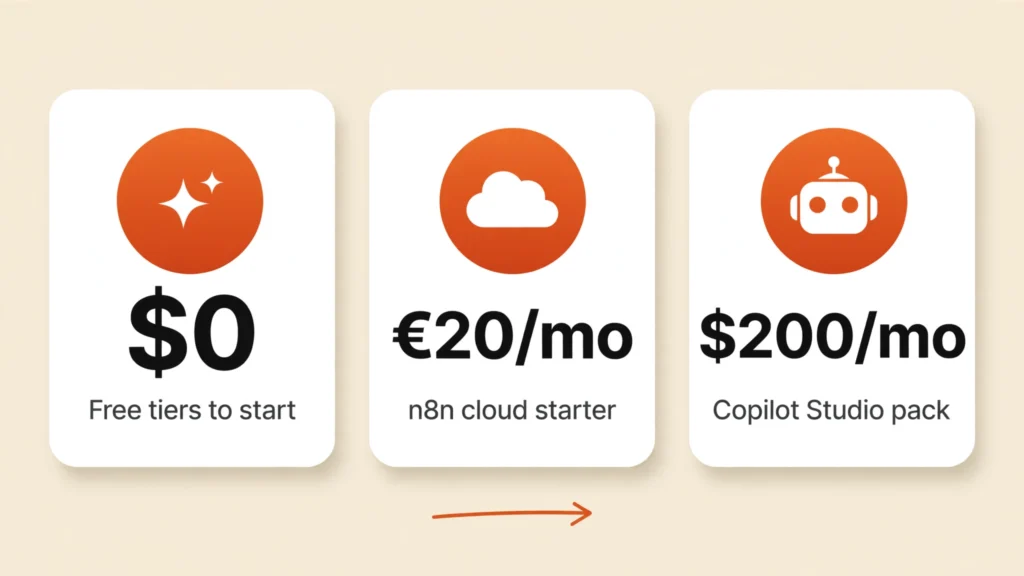
An AI agent platform can cost nothing or thousands of dollars a month. The total has three parts: the platform fee, the model tokens your agents consume, and setup work. Most buyers forget the second part, so estimate all three before you commit.
Free tiers cover real testing. LangSmith Developer costs $0 for one seat and includes 5,000 traces a month. CrewAI Basic is free with 50 executions a month. Google gives new customers $300 in credits for 90 days, plus 50 free vCPU-hours each month.
Paid plans for small teams usually land between $20 and $200 a month. n8n Cloud starts at 20 euros a month for 2,500 executions, Make Core starts at $9 a month, and Zapier Professional starts at $19.99 a month. Copilot Studio starts at $200 a month, and Agentforce starts at $2 per conversation. In addition, model tokens add a separate bill. For example, 200 tickets a week at 10 activities each needs about 800 activities a month, which fits the Zapier free tier but costs about $1,600 a month at $2 per conversation.
How to Choose the Right Platform for Your Work
Answer five questions first, and the shortlist almost picks itself.
- Where does your data live? Microsoft 365 teams should start with Copilot Studio, Salesforce teams with Agentforce, and Google Workspace teams with Vertex AI Agent Builder.
- Who will build the agent? Non-technical teams should pick a no-code builder such as Zapier Agents or Make. On the other hand, engineers who want control should pick LangGraph or CrewAI.
- What will the agent touch? List every app, database, and inbox the agent must reach, then check that the AI agent platform connects to all of them.
- How will you be billed? Compare the cost of one real month of work on each platform, not the starting price. Count activities, executions, credits, or conversations for your actual volume.
- Who approves risky actions? Pick an AI agent platform with human approval steps for refunds, deletions, and external messages, so a person reviews each action before the agent takes it.
Once you answer these questions, test two platforms side by side for one week. Build the same small agent on both, then compare setup time, success rate, and cost. For a step-by-step build, read our guide on how to create an AI agent.
How We Tested These Platforms
We compared each AI agent platform from its official pricing page and help center, all checked on 29 November 2026. We did not run paid trials on every platform, so confirm prices before you buy.
A One-Week Pilot Plan Before You Pay
A pilot removes the guesswork from choosing an AI agent platform. Pick one narrow job, such as triaging support tickets, and build it on your top choice. Then run it for five working days and track three numbers: tasks finished without help, times a human stepped in, and total cost.
If the agent finishes at least 80 percent of tasks without help and the cost fits your budget, you have a winner. If it struggles, try your second choice with the same job and compare the same three numbers.
Real-World Uses and Pitfalls to Avoid
Small businesses get the fastest wins from agents that handle repetitive work: a support agent can sort tickets and draft replies, a sales agent can enrich leads and log CRM notes, and an operations agent can chase invoice approvals. Our AI business solutions guide shows which jobs deliver value first, while our AI and business overview explains how to fit agents into a wider plan. Similarly, marketing teams use agents for social posts and campaign tasks; see our guide to using AI in marketing.
Three pitfalls catch most first-time buyers of an AI agent platform. First, they pick an AI agent platform for its demo instead of its fit with their data and tools. Second, they skip approval and let an agent send messages or change records without review. Third, they ignore the model token bill. Avoid all three with the one-week pilot, human approval for risky actions, and token counts during the test.
Agents also work best when one person owns the result and checks the logs daily at first. Therefore, assign an owner, review the logs each morning for the first month, and expand duties only after it proves reliable. For broader tool choices, our small business apps guide and our B2B SaaS explainer help you place agents inside a realistic stack, and our agentic AI coding tools guide covers the developer side. Many vendors sell AI products that bundle agents with analytics, so compare the bundle first.
AI Agent Platform FAQs
What are the different AI platforms?
AI platforms fall into three groups: no-code builders such as Zapier Agents and Make, managed suites such as Microsoft Copilot Studio and Salesforce Agentforce, and developer frameworks such as LangGraph and CrewAI. Beginners should start with a no-code AI agent platform, and engineers with frameworks.
How many AI platforms are there?
There are dozens of AI platforms in 2026. However, only about ten lead the market for agent work: Zapier, Make, n8n, Microsoft Copilot Studio, Salesforce Agentforce, Google Vertex AI Agent Builder, LangGraph, CrewAI, UiPath, and Botpress. Therefore, start with two or three from this group and test one AI agent platform first.
What is the best AI platform?
The best AI agent platform is the one that fits your work. Zapier Agents suits small teams that automate SaaS apps, Copilot Studio suits Microsoft 365 organizations, Agentforce suits Salesforce teams, and LangGraph suits developers who build custom agents.
What are the AI platforms?
The main AI platforms for agent work are Zapier Agents, Make AI Agents, n8n, Microsoft Copilot Studio, Salesforce Agentforce, Google Vertex AI Agent Builder, LangGraph with LangSmith, CrewAI, UiPath, and Botpress. Compare who builds the agent, where it runs, and how it is billed on each AI agent platform.
What is an AI agent and how does it work?
An AI agent is software that completes a task on its own by planning steps, using tools, and checking its results. It starts with a goal, breaks it into steps, calls apps or databases, and reviews the outcome. If a step fails, it retries or asks a human for help. A chatbot only answers questions, while an agent takes action and finishes work.
Our Verdict: Start Small, Then Scale
An AI agent platform is worth buying only when it fits your team, your tools, and your budget. For most small teams, the smart start is a no-code builder with a free tier: Zapier Agents or Make will show value in a week. Finally, run the one-week pilot, count the real cost, and scale only what works.
Related guides: our guide on how to create an AI agent and our agentic AI coding tools guide.