
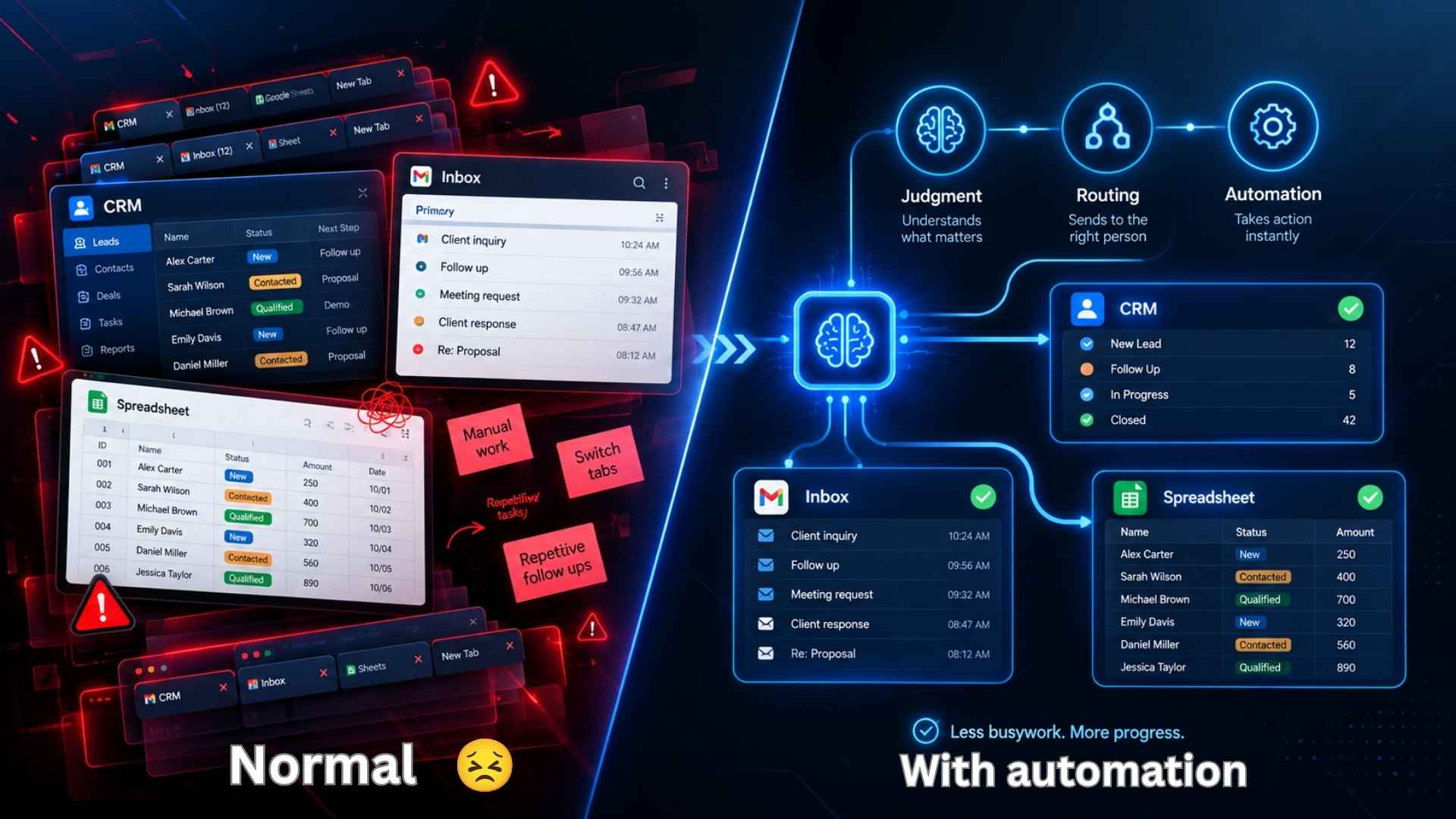

You’re copying the same lead into the CRM for the third time this week, then switching tabs to send a follow-up email, then switching again to update a spreadsheet nobody else even opens. None of it is hard. It’s just endless, and it’s exactly the kind of busywork AI Workflow Automation is meant to take off your plate.
That’s the gap AI Workflow Automation is actually trying to close. Not by moving data around faster, but by handing off the small decisions too, so someone (or something) besides you is deciding what happens next.
Is it worth the setup time, or is it just automation with a shinier name slapped on it? Let’s get into it.
Read more 👉 AI and Automation for Small Business: 7 Quick Wins
What Is AI Workflow Automation, Really?

Strip away the buzzwords and it’s this: regular automation (trigger, action, done) plus an AI step that can actually read something and make a call.
Old-school automation moves a support ticket from your inbox into a spreadsheet. It doesn’t know if the customer is furious or just confused, it just moves the ticket. Add AI to that same workflow, and now it reads the message, figures out how urgent it sounds, and sends it straight to the right person.
Sounds like a small tweak. In practice, it’s the difference between “automation that moves stuff” and “automation that actually helps.”
How Is AI Workflow Automation Different From a Regular Workflow?
Fair question, and one worth answering honestly instead of with marketing fluff.
| Factor | Regular Automation | AI Workflow Automation |
|---|---|---|
| Logic | Fixed rules, if this then that | Reads the input and decides |
| Messy or unstructured data | Trips over it | Handles it reasonably well |
| When the input format changes | Usually breaks | Mostly adapts |
| Setup | Quick, but rigid | A bit more work upfront |
| Where it shines | Predictable, repeatable tasks | Tasks that need a judgment call |
Basically, a plain workflow is great as long as nothing unexpected happens. The moment real life shows up, an angry email, a form filled out wrong, a lead that doesn’t fit any of your templates, that’s exactly where the AI layer earns its keep.
Read more: Artificial Intelligence Automation Agency: Secrets to Know

Why Are So Many Teams Bothering With AI Workflow Automation Right Now?
Ask around and you’ll hear roughly the same three answers.
Somebody’s still reading every single ticket, lead, or email before deciding what to do with it, and that quietly eats an entire workday every week.
AI got noticeably better at judgment-type tasks. Summarizing a long email thread, scoring a lead, guessing whether a message is urgent, that used to need a human. Now it’s a decent first pass, and a person only steps in when something looks off.
And honestly, it just got easier to set up. You don’t need a developer anymore. You drag an AI step into your workflow, write a short instruction, connect your apps, and it runs on its own.
So maybe the real question isn’t “should we automate this.” It’s “does this actually need a human, or are we just doing it that way out of habit?”
What Does AI Workflow Automation Actually Look Like Day to Day?

Talking about this in theory only gets you so far. Here’s what it looks like once it’s live.
A new lead fills out your form. AI skims the company size, the budget field, even the tone of their message, and scores the lead before a rep ever opens it.
A support message comes in. Instead of a keyword rule guessing what it’s about, AI actually reads it and figures out if it’s billing, a technical issue, or something urgent, then routes it instantly.
A blog draft lands in your queue. AI checks it against your style guide first and flags the obvious stuff, so your editor isn’t fixing typos at 6pm.
Advanced SEO Services for Better Visibility
Someone finishes a client call. AI pulls the action items out of the transcript and drops them straight into your task board, no one typing notes afterward.
A resume comes in. Instead of getting filtered out over a missing keyword, AI actually reads it in context and ranks it against what the role really needs.
None of these replace a human’s judgment completely, and honestly, they shouldn’t. They just take the boring first pass off your plate, so people only deal with what actually needs their attention.
Which AI Workflow Automation Tools Are Worth Looking At?

The market’s crowded, and it’s easy to end up paying for features you’ll never open. Here’s a fair snapshot.
| Tool | Best For | Learning Curve | Standout AI Feature |
|---|---|---|---|
| Zapier | Widest app support, fast setup | Easy | AI-assisted workflow building |
| Make | Visual, branching logic | Moderate | Built-in AI modules |
| n8n | Technical teams, self-hosting | Steep | Strong AI agent nodes |
| Gumloop | AI-native, heavier data work | Moderate | AI-first canvas |
| Lindy | Prebuilt AI assistants for ops | Easy | AI “employees” for repetitive roles |
| Workato | Enterprise-grade approvals | Steep | Compliance-friendly AI routing |
New to this? Zapier or Make will feel the most familiar out of the gate. Got heavier data or custom logic to deal with? n8n and Gumloop give you more room to actually build what you need instead of working around a template.
How Do You Actually Start With AI Workflow Automation?
Most people over complicate this and stall out before they finish anything. A smaller start works better.
- Pick one task you’re sick of doing manually, something that eats real time every week.
- Map out the current process by hand first, before touching any software.
- Figure out where a judgment call actually happens, that’s where AI goes.
- Build it somewhere safe first, not live, not with real customer data.
- Test it with messy, real examples, not the clean ones you’d use in a demo.
- Let it run for two weeks and actually check the outputs before trusting it fully.
A small workflow that works beats a huge one that’s half-finished, every single time.
Read more: Search Engines That Don’t Use AI: 7 Surprisingly Reliable Picks
Mistakes People Keep Making With AI Workflow Automation
A handful of these show up again and again, so it’s worth knowing them before you build anything.
- Automating a process that was already broken, which just makes the chaos happen faster
- Skipping testing and connecting real customer data on day one
- Writing a lazy, vague prompt and then blaming the tool when it gets things wrong
- Letting AI make high-stakes decisions with zero human checking in
- Setting it live and never looking at it again, until something’s gone wrong for weeks
None of this is a reason to avoid AI workflow automation. It’s just the difference between it actually saving you time and it quietly creating a new mess somewhere else.
Read more: Best AI Tools in 2026: Everything You Need to Know
FAQs
Is AI Workflow Automation the Same Thing as a Regular Workflow Builder?
Not really. A regular workflow builder just follows rules you set. AI workflow automation adds an actual thinking step, where it reads something and decides what should happen next.
Do I Need to Know How to Code for This?
No, not for most of the popular tools like Zapier, Make, or Lindy. n8n is really the only one that rewards some technical comfort.
Is It Safe to Use AI Workflow Automation With Sensitive Data?
It depends heavily on the tool and how you set it up. Stick with platforms that have a good reputation, avoid feeding in more personal data than necessary, and keep a human checking anything sensitive.
How Much Does AI Workflow Automation Usually Cost?
Most tools give you a decent free tier to start. Once you outgrow it, paid plans generally run somewhere between $9 and $40 a month, depending on volume and how complex your automations get.
Can a Small Business Actually Benefit From This, or Is It Overkill?
Honestly, small teams often benefit the most. Saving even a few hours a week matters a lot more when there’s no spare headcount to absorb the busywork.
What’s the Biggest Risk With AI Workflow Automation?
Trusting it too fast. Watch the outputs closely for the first few weeks, and keep a human in the loop on anything customer-facing.
Final Thoughts
AI workflow automation isn’t about pulling people out of the process. It’s about giving them their time back, and letting AI handle the repetitive thinking nobody actually wanted to do in the first place.
Pick one workflow, run it properly for a couple of weeks, and let the results tell you whether it’s worth building out further.
Not sure where AI workflow automation actually fits into how your team works? Get in touch and we’ll figure it out together.



-
-
-
-
-
-
-
Show Comments[…] AI Workflow Automation: Things You Need to Know Before You Automate With AI […]
[…] AI Workflow Automation: Things You Need to Know Before You Automate With AI […]
[…] AI Workflow Automation: Things You Need to Know Before You Automate With AI […]
[…] our explainer on how AI agents work. Additionally, for teams weighing AI-driven flows in general, AI workflow automation is the wider […]
[…] is a basic AI workflow automation, and it removes the dullest hour of the week. See AI workflow automation things you must know for the deeper […]
[…] Step 3 – Creating Content Briefs and First DraftsUse AI prompts to generate a content brief that includes target search intent, required H2s, questions to answer, and original data points you already possess. Then generate a first draft. Prompt engineering matters: include your unique examples, data, and constraints in the prompt so the output is not generic. Never publish the draft as-is. For related AI writing and automation ideas, check AI Workflow Automation. […]
[…] list fits the wider AI for business automation playbook, and it pairs naturally with AI workflow automation you may already run. Ultimately, the pattern is the same: automate the repeatable, supervise the […]